

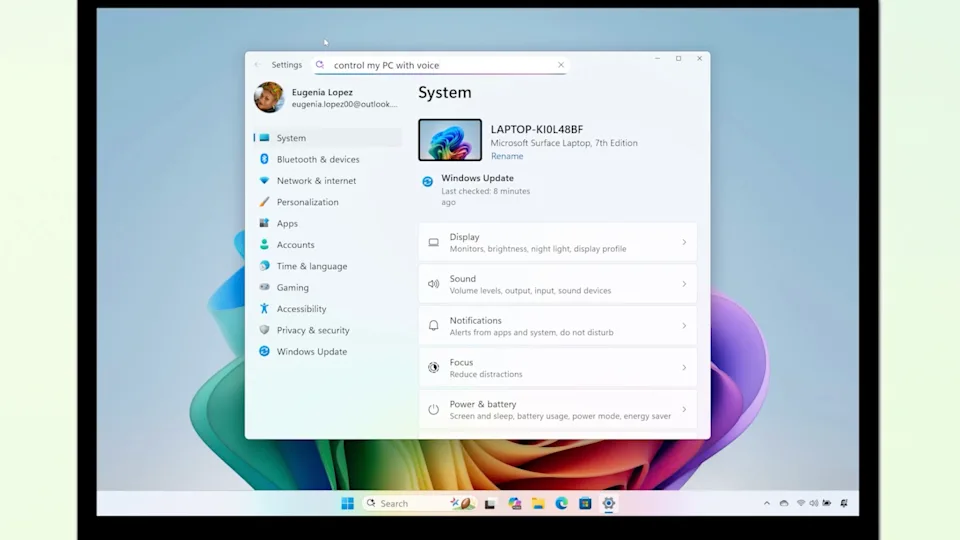
Click and Windows 11 get AI improvements.
Microsoft announces new features for Copilot+ PCs and Windows 11. An upcoming enhancement for Copilot+ PCs that we found interesting is the “agent”. This tool offers AI assistance on-device for tweaking a PC’s settings. Among the use cases for this agent that Microsoft provided are “how to control my PC by voice” and “my mouse pointer is too small.”
Not only does the agent handle these types of questions, it can also make changes for a user if the right permissions are given. Beyond that, the blog post makes clear that only English language questions are “initially” supported — suggesting there will be more languages later. This feature will be initially available on Copilot+ PCs powered by Snapdragon chips, with Intel and AMD computers getting agents “soon.”
Additionally, Microsoft is expanding the Click to Do capability for Copilot AI assistance. This allows Copilot to act on whatever is currently in focus on a computer screen. This includes working with text or an image, for example making a bulleted list out of selected text or drafting copy inside Microsoft Word. The new features also provide additional actions for scheduling meetings, sending a message to Microsoft Teams and sending data to Microsoft Excel. Click to Do will also allow users to invoke the Reading Coach and Immersive Reader modes on a computer.
Most of Microsoft’s recent Windows 11 messaging has been about Copilot+ PCs, but there are some new things for owners of other devices coming too. For instance, users will be able to customize the Start menu and use AI-powered features from File Explorer. Copilot is also getting support for screen sharing through the Copilot Vision on Windows feature.
