• Download and Watch without watermark videos -- (HERE)

  • Download Indiasocialbook Android Native App (HERE)

rule: Title format - example = Review: Yourwebsite.com

Example: Review: XXX..TLD

* The name of the domain. Example: earnmoneyonline.site
** Your TLD. Example: -com, .net, .org.

Right title:
Review: earnmoneyonline.site

Wrong title:
-Please review my website.
-Review: earnmoneyonline.site
-Check my site.

and please add your site in description

If you own and want to get feedback on a website with adult content, do the following:

Follow the correct title above, and add (18+).

New correct title is: Review: earnmoneyonline.site (18+)

Requirements for a site to be reviewed:

To avoid unwanted abuse of traffic diverting and marketplace promotion all requests for site reviews will have to include a description of the improvements you've made. Improvements by third party plugins are not taken into consideration.
Any request to review a standard installed script may attract a 24 hours temp ban (applied for threads submitted after Feb 2nd, 2021)

Example of correct request:

Title: Review: example.com
Content: I would like your opinion about my example.com site. I have used THIS script/engine and I have made improvements to THESE modules/options. Since is a login only website here's a demo account for you to test all the options.

demo user:
demo pass:

I am waiting for your suggestions on what it can be improved/removed/added
Thank you

Free Wordpress Hosting Provider

In life, you tend to get what you pay for, and web hosting is no exception. If you choose the free hosting route.

#1 000WebHost -> 000webhost.com
  • One website
  • No subdomains
  • 300 MB disk space
  • 3 GB of bandwidth
  • One MySQL database
#2 AwardSpace -> awardspace.com
  • One website
  • Three subdomains
  • 1 GB disk space
  • 5 GB bandwidth
  • MySQL database
#3 WP Cloud -> wpcloud.site
  • One website
  • No subdomains
  • 2.5 GB disk space
  • 50 GB bandwidth
  • MySQL database
#4 Cloud Access -> cloudaccess.net [30 Days Only]
  • One website
  • Free Subdomain
  • 500 MB disk space
  • 5 GB bandwidth
  • MySQL database
#5 googiehost -> googiehost.com [Uptime is BAD]
  • One website
  • NO Subdomain
  • 1 GB disk space
  • 100 GB bandwidth
  • MySQL database
#6 Pag Hosting -> paghosting.com
  • One website
  • 1 Subdomain
  • 1 GB disk space
  • Unlimited bandwidth
  • MySQL database
NOTE:- Never use infinityfree.net , freehosting.com , byet.host These providers will suspend your account at anytime because they are resellers.
*Non-affiliated* Adding more provider soon

[FREE] VPS Server Setup (4 CPU 24 gb RAM) Oracle-Cloud Tutorial

Definitely worth testing out :)

Using Oracle Cloud, we will show you how to set up a WordPress site that's free forever! For those who wish to experiment with WordPress and test it out, or for those looking for a free website, this is perfect. You can also use a custom domain and a free SSL certificate as part of the free tier. Our server will be configured through the Oracle Cloud dashboard, and our server will be managed and WordPress installed through aapanel.

Video:


? AWS Activate Program - ? $1350 Free for 2 years ?

Hello Everyone,

Join and apply AWS activate program to get $1350 credits free for 2 years for your startup program and hosting developments.

View attachment 81

How to apply video tutorial is here.


  1. You'll need a valid CC info attached to the account.
  2. Need some basic Business Profile Information.
  3. Need existing/convincing business website.
  4. Need a link to linkedin profile about you - related to the business you're applying.

[PDF] Get Free High-Quality Backlinks

Hi guys, msa here! :)

I want to share something that I think will benefit you a lot if you are a website owner.

Building high-quality backlinks is never simple. This is a curated list of 500+ websites that accept guest posts where you can promote your website. The list contains websites related to every niche so you can easily promote your website in your own niche and get free high-quality relevant backlinks and traffic.

This PDF is an amazing 'rolodex' of webmasters who are willing to accept posts on their site, with links back to you, and it's a great way for you to promote your site with no cost. If you're a motivated website owner and are looking for places to promote your site, it is highly recommended that you download and review this free list.

If you like this resource, please show some love by liking this thread.

Thanks!

300+ List of Best Websites to Guest Post in 2022

Backlinks are an important ranking factor for your website. And one way to get backlinks is through guest posting.
This is a list of 300+ best websites collated by client joy io across 20+categories like Travel ✈️, Entertainment ?, Technology ? etc.
This list is ranked across a range of factors like Monthly Traffic (MT), Domain Rating (DR), number of backlinks ?, etc.

This is the free version of the list, the paid one has 1500+ with their detailed analytics. If someone can acquire it or has it kindly share it, please.

Web 2.0 backlink site list

Good luck

View attachment 840

Rencontres coquines et libertines

Soyez fidèle à vos désirs et votre partenaire ! Entrecoquins est un site de rencontres pour libertins, echangistes et coquins. Découvrez de nouvelles personnes, participez à des soirées privées ou en club... Que vous soyez seul(e) ou en couple libertinez-vous !
entrecoquins.com

Tapatalk - Free Forum Hosting, Free Forum Mobile App.

Tapatalk the world's leading mobile platform for building great communities online
tapatalk.com
tapatalk.com

Firmenhomepage erstellen - Cabanova Homepagebaukasten

Erstelle Deine eigene Firmenhomepage anhand professioneller Homepagevorlagen für über 100 Branchen oder kreiere Deine individuelle Website für Deine Firma.
cabanova.com
cabanova.com

Tank | Build Stuff.

Tank is a friendly, easy-to-use app for building clean & simple sites.
withtank.com
View attachment 841

Free Podcast hosting and Monetizing Platform | Podbean

Podbean podcast hosting and monetizing platform helps you start a podcast. All the tools you need to create, promote and monetize your podcast.
podbean.com
View attachment 935

BookLikes - Blog platform designed for book lovers

Join BookLikes to create your own book blog. You can collect books, discover new ones, win giveaways, and stay connected with other book lovers.
booklikes.com
booklikes.com
https://officelive.com
View attachment 842

Zoho - Cloud Software Suite and SaaS Applications for Businesses

Run your entire business with Zoho's suite of online productivity tools and SaaS applications. Over 75 million users trust us worldwide.Try our Forever Free Plan!
zoho.com
zoho.com

XtGem.com — Visuelles, mobiles Seiten Building Tool / wap Kreator

XtGem is a visual mobile site building tool, allowing the creation and hosting of mobile web sites completely free of charge. No programming knowledge required!
xtgem.com
xtgem.com
https://blogster.com

Free Drag and Drop Website Builder, No-code builder

Simbla provides a free drag and drop responsive website builder and online database. Learn how to create websites and web applications with Simbla's drag and drop website builder.
View attachment 843 simbla.com
https://spruz.com

Yola - Make a Free Website

Make a free website with our free website builder. We offer free hosting and a free website address. Get your business on Google, Yahoo & Bing today.
yola.com
yola.com
https://gomilio.com
View attachment 844

Erstellen Sie gratis eine Website. Wir stellen vor: der Website-Builder von Tilda Publishing

Erstellen Sie mithilfe der Tilda-Module kostenlos eine Website, eine Landing-Page oder einen Online-Shop und veröffentlichen Sie Ihren Webauftritt noch am gleichen Tag. Keine Programmierkenntnisse erforderlich.
View attachment 845 tilda.cc
View attachment 846

Setup Viral Giveaways In Minutes With KickoffLabs

Quickly & easily setup refer a friend style giveaways, sweepstakes, and product launches! Get landing pages, lead forms, email marketing & more! Try it now.
kickofflabs.com

Goodnight Journal - Online journal, Personal diary, and community for journal writers

Write your private online journal for free. Write private journals securely and anonymously or public journals to share and get connected with other journal writers.
goodnightjournal.com
View attachment 847

Home | Sitey

We give you all the tools you need to create your website today. Enjoy the freedom to drag-and-drop your content and images into your chosen template and build your dream site.
View attachment 848 sitey.com
Free SEO Website Creation WordPress Platform, Extremely Fast SEO WordPress Blog Platform

Lycos.com

Lycos, Inc., is a web search engine and web portal established in 1994, spun out of Carnegie Mellon University. Lycos also encompasses a network of email, webhosting, social networking, and entertainment websites.
lycos.com
lycos.com
View attachment 849

Make a free website with our easy-to-use website builder | emyspot

Our online website builder and content management system (CMS) is easy to use for everyone, from beginners to web agencies. Build and host your website, blog, online store – make a website that’s perfect for you.
View attachment 850 emyspot.com
View attachment 851

Start a Blog - Create a Free Blog Site with WordPress - Thoughts.com

Share your thoughts & start a blog site free on Thoughts.com with WordPress blogging software. Join thoughts.com, create a free blog and go.
thoughts.com

Xanga 2.0 is Here!

Xanga 2.0 is Here!
xanga.com
https://wikispaces.com
View attachment 852

Typeform: People-Friendly Forms and Surveys

Build beautiful, interactive forms — get more responses. No coding needed. Templates for quizzes, research, feedback, lead generation, and more. Sign up FREE.
View attachment 853 typeform.com
http://greatwebsitebuilder.com

Bompus – Product Reviews, Comparisons and Money Saving Tips


View attachment 854 blogreaction.com
Edublogs – free blogs for education – Blogs and websites for teachers, students, and schools
https://yousaytoo.com
View attachment 855

SnapPages Website Builder - Create a Website

SnapPages makes it easy to create a website. It's a drag and drop website builder that is simple and powerful. Try it free today!
View attachment 856 snappages.com
https://blog.com

Create a Free Blog

We make it very easy to create a high-quality blog, Over 10,000 people use our free blog platform to bring their ideas to life.
blogdigy.com
blogdigy.com

Zellin TECH


View attachment 857 zellintech.com
https://site.pro

Create a Mobile Website. Mobile Community. Mobile Chat. Mobile Site. - Winksite®

Create a mobile website and community using Winksite's FREE mobile website generator. Mobile Website. Mobile Community. Mobile Chat.
View attachment 858 winksite.com
Blogge.rs – Just another WordPress site
View attachment 859

Salon Homepage

Award-winning news and culture, features breaking news, in-depth reporting and criticism on politics, science, food and entertainment.
View attachment 860 salon.com
https://livelogcity.com

Dreamwidth Studios

Dreamwidth Studios: A blog/journal system for people who create.
dreamwidth.org

SimpleSite.com

Ganz einfach: Den beliebtesten Webeseitenservice ohne Webung und mit Ihrem eigenen Domainnamen. Probieren Sie jetzt kostenlos!
View attachment 861 simplesite.com
https://webspawner.com
View attachment 862

ampedpages.com: Free website builder

Free websites easy on ampedpages.com ! all mobile devices.
ampedpages.com
https://uwcblog.com
View attachment 863

Create a free website easily | Free website builder

Easily build your website with Webnode online editor. Domain names and hosting are included. Fast and local support?will take care of you.
webnode.com
webnode.com
https://myblogsite.com
https://blinkweb.com
https://wetpaint.com

Rediff.com: News | Rediffmail | Stock Quotes | Shopping

✔Read Latest India News ✔Get Realtime Stock Quotes ✔See Live Cricket Scores ✔Log in to Rediffmail ✔Buy Smart Products on Rediff Shopping
rediff.com
rediff.com
https://posterous.com
Loading...

Бесплатный конструктор сайтов. Создайте свой сайт самостоятельно!

Как создать свой сайт? Самостоятельно! В конструкторе сайтов uCoz это легко и практически бесплатно.
View attachment 864 ucoz.ru
https://evood.com

ohlog.com - Informationen zum Thema ohlog.

ohlog.com ist die beste Quelle für alle Informationen die Sie suchen. Von allgemeinen Themen bis hin zu speziellen Sachverhalten, finden Sie auf ohlog.com alles. Wir hoffen, dass Sie hier das Gesuchte finden!
ohlog.com
View attachment 865

The visual storytelling platform made simple and beautiful

Exposure is a modern publishing platform for photographers and visual storytellers. It’s the simple way to create and share your unique photo stories.
exposure.co
exposure.co
hubpages.com

HubPages

HubPages is a unique publishing platform and community of writers and readers. Find your niche, build an audience, and start writing today.
hubpages.com
hubpages.com
View attachment 866

Kostenlose Homepage Erstellen | Eigene Website Erstellen - SITE123

SITE123 - kostenloser Webseitenersteller zeigt Ihnen, wie man eine Webseite mit vorgefertigten Styles und Layouts erstellt. Geben Sie Ihren Inhalte ein und 1,2,3 - schon sind Sie online!
View attachment 867 site123.com
View attachment 868

Freshdesk | Customer service software by Freshworks Inc

Online cloud-based customer service software providing helpdesk support with all smart automations to get things done faster. Sign up for a free trial today!
View attachment 869 freshdesk.com
https://flixya.com

Typepad. Share your passions with the world.

Typepad is the reliable, flexible blogging platform that puts the publisher in control. Plus great one-on-one support from our team of friendly experts.
typepad.com
typepad.com
View attachment 870

Website Builder — Create a Website in Minutes — Squarespace

Create a customizable website or online store with an all-in-one solution from Squarespace. Choose a website template and start your free trial today.
squarespace.com
squarespace.com

WinX DVD Ripper Platinum giveaway link

View attachment 62

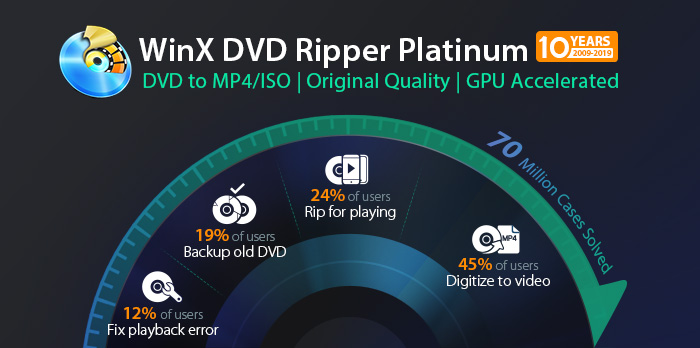
WinX DVD Ripper Platinum is the fastest DVD ripping software that allows you to watch DVD movies on any video playback device. The tool offers over a hundred optimized conversion profiles that match basic file formats as well as customized copies for gadgets like gaming consoles, tablets, and smartphones. The best part is that the software extracts quickly and simultaneously provides high-quality results. You will hardly recognize the difference between the original DVD and the ripped version.

Additionally, the tool allows you to extract raw DVD files such as the Video TS folder and disc images. This feature is not available in most DVD players on the market. WinX DVD Ripper Platinum provides sophisticated rip editing tools that allow you to refine your snippets by adjusting the technical aspects of the video such as frame rate, frame rate, and bitrate. Also, there is a simple video editor that you can use to edit subtitles, trim videos, and cut scenes.

WinX DVD Ripper Platinum Free License Key​

Giveaway Details

$50 Avast Secure Browser Pro | 1 Year License | In-built VPN

Avast Secure Browser Pro:
Anonymous browser with VPN function

The Internet offers many opportunities, but also some risks – you should definitely protect yourself from them.

For this reason, CHIP.de is giving away the Avast Secure Browser Pro for a short time in the 2022 Easter nest. You get the annual subscription to the premium software worth 50 euros free of charge.

Simply enter your name and email address below to receive the free license key for 5 devices.

TOP 185 High DA Social Bookmarks DoFollow Links 2022

Boost your website with Social Bookmark Links!

By sharing a blog post or an article with great quality content, your post will go more viral and also creates interaction with users which increases brand awareness.

By submitting on high PR bookmarking sites, your blog post will be indexed more quickly and also helps to generate new relevant traffic. It also improves domain authority, reduces bounce rate. Each bookmark provides backlinks to your website.

Social bookmarking is a technique to get huge traffic along with branding and promotion, a good number of backlinks (link building).

185 FREE HIGH DA SOCIAL BOOKMARKING SITE LIST 2022 (VERIFIED)​


1https://www.scoop.it/
2https://slashdot.org/
3https://mix.com/
4https://www.reddit.com/
5https://www.pinterest.com/
6https://www.pearltrees.com/
7https://www.tumblr.com/
8https://www.diigo.com/
9https://www.bibsonomy.org/
10http://ttlink.com/
11http://www.folkd.com/
12http://www.jodohkita.info/
13http://aixindashi.org/
14http://digg.com/
15https://list.ly/
16http://www.bizsugar.com/
17http://lymelightwebs.net/
18http://london8.net/
19http://ihaan.org/
20http://gen-eff.net/
21http://coolpot.com/
22http://techspy.com/
23https://www.fark.com/
24http://kultamuseo.net/
25http://onpageseopro.com/
26http://dupioneer.com/
27http://www.bookmarkingcentral.com/
28http://todays1051.net/
29http://eugendorf.net/
30https://www.freewebsubmission.com/
31http://www.exactseek.com/
32https://www.storeboard.com/
33http://www2.myhq.com/
34http://www.whitelinks.com/
35https://www.yemle.co/
36http://bookmarkingbase.com/
37http://www.mettablog.com/
38http://dictaf.net/
39http://jofrati.net/
40http://www.addthismark.com/
41http://www.activebookmarks.com/
42http://www.bookmarkmaps.com/
43http://www.onlinewebmarks.com/
44http://www.greateststory.info/
45http://www.bookmarkinghost.info/
46http://www.socialbookmarknow.info/
47http://www.video-bookmark.com/
48http://www.votetags.info/
49http://www.bookmarkgroups.com/
50http://www.bookmarkwiki.com/
51http://www.bookmarks2u.com/
52http://vtv10.com/
53http://zypid.com/
54http://relevare.net/
55http://t3b-system.com/
56http://ww2.ikeepbookmarks.com/
57http://www.sitejot.com/
58http://www.blurpalicious.com/
59http://www.openfaves.com/
60http://www.seosocialnews.info/
61http://topsocialbookmarkinglist.info/
62http://bookmarking.sagargola.com/
63http://bookmarking.seosagar.com/
64http://pr10.highdabookmarking.com/
65http://highprbookmarking.com/
66http://website.highdabookmarking.com/
67http://dofollow.highdabookmarking.com/
68http://best.highdabookmarking.com/
69http://social.highdabookmarking.com/
70http://new.highdabookmarking.com/
71http://list.highdabookmarking.com/
72http://da30.highdabookmarking.com/
73http://da32.highdabookmarking.com/
74http://da33.highdabookmarking.com/
75http://da31.highdabookmarking.com/
76http://da34.highdabookmarking.com/
77http://da35.highdabookmarking.com/
78http://pr5.highdabookmarking.com/
79http://pr6.highdabookmarking.com/
80http://pr7.highdabookmarking.com/
81http://pr8.highdabookmarking.com/
82http://pr9.highdabookmarking.com/
83http://highdabookmarking.com/
84http://urgodermyl.com/
85http://kestrin.net/
86http://www.prbookmarks.com/
87http://www.seosubmitbookmark.com/
88http://www.hotbookmarking.com/
89http://www.bsocialbookmarking.info/
90http://www.bookmarkdiary.com/
91http://www.a2zbookmarks.com/
92http://www.bookmarkfollow.com/
93http://www.bookmarkdeal.com/
94http://www.addusastory.com/
95http://www.clickone.co.in/
96http://www.mybookmark.click/
97https://www.aboogy.com/
98http://zariaetan.com/
99http://choicebookmarks.com/
100http://www.fearsteve.com/
101http://tatvanstories.com/
102http://www.updatesee.com/
103http://www.tezbookmarking.com/
104http://www.ewebmarks.com/
105http://nottsgroups.com/
106http://gutenborg.net/
107http://buysmartprice.com/
108http://www.socbookmarking.com/
109http://www.peoplebookmarks.com/
110http://www.socialwebmarks.com/
111http://www.newsciti.com/thanks/
112http://www.bookmarkspot.com/
113http://www.a1bookmarks.com/
114http://bestfreeseotools.in/
115http://www.bookmarkcart.com/
116http://financial-hub.net/
117https://drikdir.com/
118http://justpep.com/
119http://www.goldenmidas.net/
120http://www.tuffclicks.com/submit-stories/
121http://www.thevartalk.com/
122http://cosap.org/
123http://www.akonter.com
124http://www.socialbookmarkiseasy.info/
125http://www.bookmarkfeeds.com/
126http://www.livewebmarks.com/
127http://www.bookmarktheme.com/
128http://www.citeulike.org/
129http://www.publicbuysell.com/
130http://www.onlinewebmarks.com/thanks/
131http://www.a2zbookmarking.com/
132http://addthismark.com/
133http://www.socialbookmarkzone.info/
134http://www.referbookmarks.com/
135http://free.highdabookmarking.com/
136http://site.highdabookmarking.com/
137http://ganeshaubud.com/
138http://risecsp.net/
139http://www.social-key.com/
140http://juttiesk.info/
141http://www.bookmarkgolden.com/
142http://www.bookmarktou.com/
143http://3000bonus.com/
144http://www.tefwin.com/
145http://urlsuggest.com/
146https://www.instapaper.com/
147https://www.techdirt.com/
148http://affiliated-business.com/
149http://www.myhq.com/
150http://pligglist.com/
151http://seobookmark.in/
152http://www.indofeed.com/
153http://www.emolinks.com/
154http://www.storymint.com/
155http://www.dekut.com/
156http://www.startaid.com/
157http://sharedais.com/
158http://timepa.com/
159http://www.tourbr.com/
160http://bookmarksmywebs.com/
161http://ondashboard.com/
162http://newsocialbooks.com/
163http://www.techytape.com/
164http://toplistingsite.com/
165http://pr10.highdabookmarking.com
166http://www.jodohkita.info
167http://www.only2clicks.com
168https://openoox.com
169http://seobookmarking.org
170https://flipboard.com
171http://www.skybacklinks.com
172http://www.mozylinks.com
173http://www.worldranklist.com
174http://www.mbacklinks.com
175http://www.lucidhut.com
176http://www.ferventing.com
177http://www.vapidpro.com
178http://floatingwebs.com/blog/submit
179http://www.free-web-submission.co.uk
180http://bmoptions.com
181http://seomumbai.16mb.com
182http://newsocialbooks.com
183https://backlinks4free.com
184https://myspace.com/
185https://www.plurk.com/

Hope this will help you boost your backlink profile.

Spread the word and don't forget to show some love :)

Free 300+ wiki site

Fresh from my Gsa search engine ranker from today
From my verified list, remove dup and trim to last folder
388 WIKI website to use with your favorite software like rankerx, Gsa ...

Code:
http://www.wibbellpedia.com/
http://seowhq.net/seowwiki-en/
http://parsley.wert.jp/mediawiki/
http://tribuneazad.com/
https://gameserver.wiki/
https://www.aquarium-wiki.com/
http://olberg.homelinux.com/wiki/
https://griepsite.nl/wiki/
http://www.ceflaservers.net/
https://astorehouseofknowledge.info/wiki/
http://makeshift-gear.info/wiki/
https://wiki.noxpoly.com/index.php/
http://www.musiciansbusinessdictionary.com/mediawiki/
http://solepedia.com/
http://dyplom.edu.pl/
http://www.genderkingen.com/gdkwiki/
http://wiki.matchmysound.com/
https://wiki.qmracinginfo.com/
https://potter.wiki/
http://arkiv.rtgkom.dk/mediawiki/
http://smw181.ypbl.net/
https://gebatzens.de/wiki/
https://wiki.santsg.com/
http://wiki.sakachi.to/
http://strpg.farstars.ru/
http://aprendices.net/wiki/
https://jewsunderattack.com/
https://e-learnwiki.com/index.php/
http://finregwiki.org/
https://wiki.maiagame.com/
http://www.boekingsassistent.info/
http://student.ninja/
https://www.gamebwiki.com/
https://www.hotrodders.com/tw/index.php/
https://iranwiki.online/
http://cls.phroon.net/wiki/
http://46.32.240.43/highlandsupport.co.uk/
https://tilltel.com/
https://www.blancomakerspace.org/wiki/
http://www.shoplikelocal.com/index.php/
https://8to80travel.org/
http://54.212.40.231/
https://thethirdage.net/wiki/
http://kiehlmann.co.uk/
http://feedmewiki.org/
http://pro.mcatbui.net/
https://wiki.pulsedmedia.com/
https://wikicorp.org/
http://bloompedia.com/
http://regender.com/swap/http://mcdonogh35archive.com/
https://www.buildinghumanrights.net/glossary/
http://wiki.cph-software.de/
https://rlcraft.net/
http://arkay.se/
http://iesaricel.org/w/
http://www.terpenewiki.com/
http://wiki.nhstech.us/
http://yaccs.info/mediawiki/
http://fantasyplanets.com/
http://calsquash.com/wiki/
https://www.xn--lo8h1i.ws/vth_wiki/
http://sheepizen.site/
https://www.jebriffa.com/wiki/
http://52.13.27.32/
https://www.tricky.wiki/
https://konzertkalender-osnabrueck.de/oszillator-wiki/
http://84.96.107.210/mediawiki/
https://summa-catholica.org/w/
http://wikigrottaglie.org/
https://ysmwiki.dip.jp/ja/wiki1/
http://streamapedia.com/
http://www.wiki-peps.fr/mediawiki/index.php/
https://dilarpwiki.com/
https://budowiki.com/
http://knowledgebase.metro-studios.com/
http://wiki.grosslukass.de/w/
http://www.knitomancy.net/
https://wiki.pulsedmedia.com/index.php/
http://wiki-intel.org/
http://www.supporthealth.org/
http://gog.altervista.org/
https://www.geekipedia.co.uk/
http://devengagewiki.com/
https://neunburg-wiki.de/
http://www.caritovargas.com/
https://wiki.web-tycoon.com/
https://coralisland.wiki/
http://3.15.25.127/
http://dobleclicksoft.com/wiki/
https://wiki.gid.gov.ma/mediawiki/
https://www.wikinod.com/index.php/
https://examenwiki.diana.be/
https://softairwiki.net/
https://wiki.quebble.com/
https://june.uoregon.edu/mediawiki/
https://marina-pedia.eu/w/
https://nvd.wiki/index.php/
https://thehemedia.com/
http://www.wikibill.org/
http://www.chiusiaperta.it/
http://food-fighters.com/mediawiki/
http://novstroy.ru/directrix/click.php?url=https://nvd.wiki/index.php/
https://online.jhcsc.edu.ph/wiki/index.php/
http://hiaspac.com/
https://fridanitours.de/wiki/
http://wiki.kusolarcar.com/
https://torlanduniverse.com/index.php/
http://185.224.139.34/w/
http://dmpswrp.xyz/
http://www.calsquash.org/wiki/
http://corruptionrevolution.org/wiki/
https://wiki.host4me.eu/
https://wiki.gameako.com/index.php/
https://8to80travel.org/index.php/
https://www.uofmwiki.org/
http://mormonartswiki.org/
http://respaciales.ourproject.org/
https://coronawiki.five-stitches.net/mediawiki/
https://simfba.com/wiki/index.php/
http://vpn2.noimang.com/mediawiki/
https://unofficial-tesla-tech.com/
http://wiki.playrotd.com/
https://dawidnowak.com/wiki/index.php/
http://www.ppcmaine.org/wiki/
http://waldorfwiki.de/
http://senior-junior.nl/
http://wiki.tradingjam.pl/
http://wiki.techwo.org/
https://manuals.d12webdesign.com/
http://druklii.jswlaw.bt/
https://lost.trade/
https://juxtopolis.wiki/w/
https://dawidnowak.com/wiki/
http://wiki.chatonna.de/
https://www.raidcontrol.com/
http://globalpasta.com/
https://dufopedia.com/
https://www.dimdev.org/wiki/
http://www.eurevita.eu/wiki/
http://crtfaq.com/
http://wiki.kusolarcar.com/index.php/
https://fnabase.biowikifarm.net/wiki/
http://hgreilberger-gmbh-dev.de/mediawiki/
https://www.clars.dk/
http://84.96.107.210/mediawiki/index.php/
https://tubeampwiki.com/
https://wiki.jbrowns.com/
http://insebre-grup3a.cat/
http://casa-antigo.eu/wiki/
https://processors.wiki.ti.com/
http://philosopedia.net/
https://www.aia.community/wiki/en/
https://trackingice.com/wiki/
https://thecbdwiki.com/
https://sdk.rethinkrobotics.com/intera/
http://latterdaysaintartswiki.org/
https://www.fpvwiki.club/
https://elunivercity.net/wiki-startups/index.php/
http://vapenfakta.nu/
http://wiki.strat-o-matic.com/
https://ngnr.ch/
https://www.vuwsynbio.club/wiki/
http://52.170.151.59/
https://vasterror.wiki/
http://amindo.freehostia.com/mediawiki-1.11.1/
http://constitution2020.us/
http://edu-wiki.xyz/
http://54.71.232.44/
http://www.bitcoinapedia.com/
http://www.colombiawiki.com/
http://www.hydronics.co.il/redir.asp?url=http://fba-wiki.net/index.php/
http://apoteca.udenar.edu.co:90/wiki/
https://wiki.grosslukass.de/w/
http://cpp.ac/wiki/
https://thesagov.com/
http://recursos.isfodosu.edu.do/wiki/
https://simfba.com/wiki/
https://wiki.noconname.org/
http://lcars.5thfleet.net/
https://www.sv-e.info/wiki/
http://iianc.org/wiki/
https://testwiki.dannycloud.org/
https://vasterror.wiki/index.php/
https://wiki.mexiconutretebien.org/
http://sc2mafia.com/wiki/
http://www.wiki-peps.fr/mediawiki/
https://www.trump.wiki/
http://www.alberonrpg.com/wiki/index.php/
https://longnose.ga/
http://rollingredbeard.com/dm_wiki/
https://en.kimeracorp.net/wiki/
http://www.muellerreport.wiki/
http://www.actuallyawful.com/
https://www.aln-consulting.de/
http://www.kiehlmann.co.uk/
https://rlcraft.net/wiki/
https://empty3.one/blogs/demoniakmachine.com/wikilibre//index.php?title=Sp%C3%A9cial:Cr%C3%A9er_un_compte&returnto=Dildos93740
https://80.26.155.59/mediawiki/index.php/
http://d5066yypb.preview.infomaniak.website/
https://wikilights.org/
http://www.spedux.com/index.php/
https://n-sb.org/wiki/
http://wikisports.org/
https://physioexrx.com/
http://conquerorsbladewiki.com/
https://heldenzeit.eu/firenze/
https://sspcm.info/MediaWiki/
https://trackingice.com/
http://wiki.hnjhj.com/
http://polymoney.synology.me/mediawiki/
https://www.allolaterre.org/index.php/
https://wiki.modda.se/
https://80.26.155.59/mediawiki/
http://eagle.unisa.ac.za/mediawiki/
http://lbh.scripts.mit.edu/persuasion/
http://teddybearmindsupport.com/
https://nvd.wiki/
https://wiki.benheck.com/
https://megustawaze.com/wiki/
http://osswaldundosswald.com/mw19/
https://www.dino-club.com/dinowiki/
https://swpmhm.sbsbilzen.be/
http://bwsi-racecar.com/wiki/
https://blakesector.scumvv.ca/
https://fnabase.biowikifarm.net/w/
https://empty3.one/blogs/demoniakmachine.com/wikilibre//index.php?title=Discussion_utilisateur:ChristalMayers5
http://159.89.107.165/
https://balanskat.de/
https://wikiground.org/w/
https://wiki.flo.cash/
https://ffxiv-knights-ivalice.org/
http://do.tgl.net.ru/wiki/
http://psi-power.square7.ch/wiki/
https://sisterclaire.wiki/
http://encyclopedia.php.xdomain.jp/e/
https://sdk.rethinkrobotics.com/intera/a/
http://artvalvas.net/
http://semanpix.de/oldtimer/wiki/
http://www.tagsandthreads.com/
https://www.wvodesigns.com/wiki/
https://www.gameb.wiki/
https://g1pedia.com/
http://miyukito.chu.jp/mediawiki/
http://www.spedux.com/
https://dhial.org/diccionario/
http://softwaretropes.org/wiki/
https://private.sectors.arakistan.cf/wiki/
https://yokosukapedia.com/
http://agriculturaorganica.pe/
http://www.goonnails.com/wiki/
http://wiki.350bayarea.org/
http://dotu.akyl.kz/
http://www.txexla.fraserphysics.com/
https://hodgelodge.com/cshistory/
http://gwnet.wiki.chicagobynight.org/mediawiki/
https://www.tramedicomunita.it/wiki/
https://tldrlore.com/wiki/
https://clan-gamerspoint.de/
http://manuelcalvo.com/
https://www.hotrodders.com/tw/
http://thoa.uta.edu/
http://ff7.wiki/
http://cashableideas.com/mw19/
https://e-learnwiki.com/
https://wiki506.buildtools.com/index.php/
https://longnose.ga/index.php/
https://coronawiki.net/
http://dtpwiki.urlibraries.org/wiki/
https://wiki.gid.gov.ma/mediawiki/index.php/
https://wiki.adrienfictions.com/
https://wiki.cwaboard.co.uk/
https://jewsunderattack.com/index.php/
https://purpleforums.com/
http://karlskronamakerspace.org/wiki/
https://twistedhollywood.xyz/
https://energica.wiki/
http://www.aros.bigbadrobots.com/
http://www.thingpedia.co/index.php/
http://159.89.107.165/index.php/
https://wiki.praxorium.org/index.php/
http://www.debruyere.com/index.php/
https://wiki506.buildtools.com/
http://cyberpunk-wiki.de/
https://online.jhcsc.edu.ph/wiki/
http://olgaanatolyevna.win/
http://ciso.wiki/
https://www.navarra.wiki/wiki/
http://www.romanticwomensfiction.com/
http://ffxiv-crystal-wiki.com/
https://nlwiki.nl/index.php/
http://www.wikibill.org/index.php/
https://clientdemo.themehouse.com/sdn/wiki/
https://www.webbuildermn.com/wiki/
https://astorehouseofknowledge.info/wiki/index.php/
http://wiki.khora.social.coop/
http://dobleclicksoft.com/w/
https://found.trade/
http://wikifundi-fr.openzim.org/w/
https://jiffybox-wb.constancy.biz/
http://aggelos.dk/
https://www.4321pickle.com/mediawiki/
https://wikieasier.com/
http://wiki.techwo.org/wiki/
https://wiki.noxpoly.com/
https://www.bourgeoa.ga/solid-wiki/
https://ebikewiki.com/
http://www.thisoldcpu.com/
https://new.pixelbar.nl/
https://thesagov.com/index.php/
https://mediawiki.pacifictool.com/index.php/
http://clinrecbase.ru/
http://www.odwiki.org/
http://www.surferswiki.com/
http://www.jugaadcompany.com/
http://smw.meetmitos.com/
https://chacopedia.org/
https://nerves.wiki/
https://www.navarra.wiki/
http://fba-wiki.net/
http://utsb.univ-catholille.fr/fhr-review/
http://thinc.cs.uga.edu/thinclabwiki/index.php/
http://wiki.simumak.com/
https://doku.informatik.hs-fulda.de/wiki/
http://wiki.pncvl.com/
http://strpg.farstars.ru/wiki/
https://shangri-la-la.com/
http://yogastcyr.free.fr/w/mediawiki1.16/
https://darkipedia.com/
https://fridanitours.de/wiki/index.php/
https://donauspital.co.at/
https://phpstack-299408-916806.cloudwaysapps.com/mediawiki/
https://www.wikinod.com/
http://147120.net/wiki/
https://worldproblemsindex.org/index.php/
https://karla.wiki/
http://wiki.digitalconstitutions.net/
https://energica.wiki/index.php/
http://creuset-creatif.bzh/wiki/
http://users.atw.hu/dobosok/
https://empty3.one/blogs/demoniakmachine.com/wikilibre//index.php?title=Beberapa_Alternatif_Formula_Daftar_Di_Website_Memoriqq_Poker228
https://www.violet-mica.com/wiki/
http://wiki.teamkog.com/
http://www.sanderswiki.com/
https://wademekum.net/index.php/
http://mcdonogh35archive.com/
https://dai-trying.com/Q4OS-wiki/
https://wiki.biohack.me/wiki/
https://megustawaze.com/wiki/index.php/
http://wiki.buddybid.com/
https://tilltel.com/index.php/
https://wiki.culturewar.radio/
http://spedux.com/
http://hrw-fablab.de/wiki/
http://bloompedia.com/wiki/
https://wikivay.com/
http://phasionistasa.co.za/mediawiki/
http://support.unioncloud.org/UnionCloud/wiki/index.php/
https://sci-wiki.com/Main_page/
https://thesus.work/
https://whiteday.me/
http://www.apmaine.com/munjoyhillc/mediawiki/
http://acousticsworkshop.com/wiki/
http://www.yatradivine.com/wiki/
http://uzdrowiciel.home.pl/autoinstalator/mediawiki/
https://mediawiki.pacifictool.com/
http://wikichwaraegems.com/
https://aiswiki.wustl.edu/oisshelp/index.php/
http://genderkingen.com/gdkwiki/
http://parsley.wert.jp/mediawiki/index.php/
http://support.unioncloud.org/UnionCloud/wiki/
https://ysmwiki.dip.jp/ja/wiki/
https://torlanduniverse.com/
https://dedicated.duimpjes.nl/index.php/
http://www.subrt.shop/
http://conchive.com/
http://racismwiki.org/
https://oathauth.wmf.hallowelt.biz/w/
https://wiki.thegates.online/
https://the5kingdoms.com/wiki/
http://wiki.eurythmie.org/
http://sportwiki.com/
http://54.193.99.241/index.php/
http://wiki.daart.us/index.php/
http://iusfero.org/
https://korean-american.com/
http://angelsofwrath.net/w/
https://wademekum.net/
http://www.paigeuiowa.com/

250+ High authority backlinks list sites [High DA]

High DA authority backlinks list are one of the most dominant factors for Off-page SEO. High authority sites provides your website high authority (DA), traffic and connect users from one place to another place. These high domain authority backlinks sites are updated which help your sites to gain domain authority of your websites and business. If you want to increase the DA of your website with dofollow backlinks list then you have to submit your website or business on the high authority backlink sites which has been listed below. Backlink means link one page to another page with a proper anchor text, keywords, and a brand name. More backlinks more values on the search engine. Search engine bot also crawls the backlinks and land into your page and fetch details about your pages. For any website, a backlink is the most important powerful techniques for ranking well and engaging users. If you want to increase authority, trust level, ranking then backlinks is a backbone of your supports which give you a great impact on your website.

"Download PDF File"
HOPE YOU LIKE IT:)
Regards
OmniSoftex

Windscribe VPN – 30GB Voucher giveaway

View attachment 50

Windscribe VPN is a desktop application and browser extension that work in conjunction to protect your online privacy, unblock websites, and remove ads and trackers from your everyday browsing.

Windscribe VPN Voucher Code for Free​

Giveaway Details
  • Product name: Windscribe VPN
  • Website: https://windscribe.com
  • License type: 30GB/month for 1-year
  • Platform: Windows, macOS, iOS, Android
  • Voucher:
    СВОБОДА
    Redeem this code as soon as possible!

Ashampoo Home Design 7 giveaway

View attachment 49

Ashampoo Home Design includes everything from doors, windows, balconies, and carports to plan, model and design your dream home.

Ashampoo Home Design 7 Free License Key​

Giveaway Details
Limited-time giveaway!

Hideaway VPN 1 year giveaway

View attachment 48

Want to access your favorite websites and streaming videos in different countries? Want to encrypt your communications and website traffic for your security and privacy? Well, Hideaway VPN is your pick. Hideaway VPN allows you to encrypt your connection & hide your real IP address to ensure your security and privacy at home and in public. Besides, it protects your data from snooping by your internet service provider.

Hideaway VPN Free License Key​

Giveaway Details

8 Best Project Management Software of 2022

View attachment 47

How to Choose Project Management Software​

As mentioned above, Project Management software is quite a broad umbrella term, used to refer to all kinds of tools suitable for companies who need help making the most of their team. The top project management software for your company will depend on what you want to accomplish.

When choosing a project management solution, ask yourself what kind of features are most essential in your company. If you exclusively want something to help you track employee projects, you won’t need invoicing and budgeting features. If you’re looking for a comprehensive manufacturing project management tool, you might need extra components, like inventory tracking.

Some of the most common features to look for in project management software include:

  • Task prioritization: This shows exactly when certain tasks need to be completed in your to-do list, as well as who needs to complete them.
  • Task scheduler: With a task scheduler, you can assign specific projects to certain members of your team, reducing overlap, and you can set deadlines.
  • Shared calendar: A calendar makes it easier for you to see when upcoming project deadlines are, as well as when meetings are scheduled.
  • Resource management: This feature ensures you never lose track of crucial materials.
  • Time tracking: This ensures you know which team members are charging you for which billable hours.
  • Communication and collaboration features: These often include things like chat features, video and audio conferencing, file sharing, and team dashboards.
  • Budgeting features: Access to financial information, budgeting dashboards, and even professional invoicing tools
Figuring out exactly which features you need from your project management tool ahead of time will ensure you’re not paying over the odds for services which won’t have a positive impact on your business. With that in mind, let’s take a look at some of the best project management tools.

1. Monday.com​

Our ‘Best Overall’ pick

word image 12

Monday.com is an excellent project management tool if you’re looking to balance all of your team’s work in one convenient environment. There’s a huge feature list to explore, including tools for tracking design campaigns, marketing, IT, sales, and CRM. You can integrate other tools you use on a daily basis and access a convenient back-end environment.

Even if you’re new to project management, Monday’s proprietary task management and dashboard system is extremely easy to follow, with access to everything from resource management, time tracking and budgeting in the same place.

It’s the stunning presentation of the task management environment which makes Monday.com extra special. There’s even a handy free version for beginners, but it’s only suitable for two people to use at any given time – making it a bit limited for teams.

Pros & Cons​

  • Pros
  • Excellent dashboard environment
  • Fantastic for beginners
  • Range of features like time tracking and budgeting
  • Suitable for larger teams
  • Cons
  • No free version

Pricing

Your starting price is directly correlated with the number of licenses you need for your team. Pricing can start at around $8 per month depending on how many people you want to add to your team.

Try Monday.com

2. Teamwork​

Best for chat

teamwork project managment software

Teamwork is a highly-rated tool for project management with more than 20,000 customers around the world. The project management software helps businesses to manage complicated projects from a range of environments with ease, with a fully scalable platform.

The Teamwork environment is easy enough to use, with a clean and simple interface where users can create projects and tasks, upload files, add comments and more. There’s even a set of advanced reporting features and dashboards so you can see which of your employees are performing as expected, and which you need to hold accountable.

With a free forever plan to get you started, it’s easy to jump in head-first with Teamwork. You’ll even get project management and task management tools with milestones and messages for free. Teamwork also has a fantastic instant chat app for collaboration.

Pros & Cons​

  • Pros
  • Great for tracking milestones and goals
  • Project templates to get you started
  • Time tracking and invoicing included
  • Agile, custom workflows
  • Great chat application
  • Cons
  • Can be a little clunky in places
  • Not the best customer support

Pricing

There’s a free plan for Teamwork users, which you can use to get a taste of some of the features. If you want to access templates, time tracking, invoicing, and chat, you’ll need to pay for at least the $10 per month plan. There are also a range of premium plans for those willing to pay extra for bonus features. Enterprise plans are available on request.

Try Teamwork

3. Zoho Projects​

Best project management tool for sales teams

word image 15

Zoho is one of the better-known tools in the sales environment, capable of integrating with a range of tools for conversions, customer relationship management and more. More than just a single application, Zoho has everything you need to keep your team running smoothly, from email management, to help desk software and CRM support.

Zoho Projects is the Project management system, where you can find everything, you need to support agile teams at an affordable price. You can view tasks in traditional or Kanban styles and set specific requirements for each project. You’ll also be able to track the time your users are active on the board – but it’s not an extensive feature.

Pros & Cons​

  • Pros
  • Generally easy to set up and navigate
  • Multiple ways to communicate in app
  • Deep configuration options
  • Strong time-tracking tools
  • Cons
  • Does not include premade templates
  • Slightly unusual resource management view

Pricing

Though a free tier is available for Zoho Projects, you will only be able to manage up to 3 of your employees here. If you want a more feature-rich experience, you’ll need to upgrade to one of the premium plans which start at $5 per month per user. Discounts are available for annual purchases.

Try Zoho Projects

4. Trello​

Best for convenient Kanban boards

word image 13

Trello is the ultimate project management system for modern brands who like working with simple, convenient Kanban boards. Many project management tools can have a little bit of learning curve when you first start using them, but that isn’t the case with Trello. Here, you get a convenient landscape where you can manage projects by dragging and dropping them into different segments.

The platform is extremely flexible, suitable for all kinds of teams and projects, including marketing projects, software development, HR tracking, sales pipelines, and more. Trello is one of the most popular products on the market today, with boards, lists, and cards you can customize and expand as much as you like.

Customers can choose the view that makes the most sense for them when building their boards. There’s also a set of intuitive integrations with things like calendars and collaboration tools (Microsoft Teams and Slack) to help you stay connected.

Pros & Cons​

  • Pros
  • Timelines and productivity metrics in one place
  • Convenient Kanban-based boards for ease of use
  • No-code automation features
  • Lots of integrations with leading tools
  • Convenient pricing packages for all companies
  • Cons
  • No inventory and budget tracking
  • No invoicing features

Pricing

Pricing for Trello starts at $0 per month for your whole team, which will give you access to basic features and board management. If you need to manage more work at scale, you can upgrade to the cheapest package at $5 per month, per user. Enterprise packages are available on request.

Try Trello

5. Asana​

Best for small businesses

asana project management

One of the better-known project management tools available today, Asana is fantastic for keeping track of goals, to-do-lists, and more. This product is all about simplicity, designed to bring teams together wherever they are to work on shared goals and ideas. The Asana ecosystem is easy to use, with access to a comprehensive timeline system, boards for tracking crucial tasks, and more.

There are even options available to automate routine work. For instance, you can set up rules which ensure a crucial piece of content produced by a copywriter is sent straight to an editor when uploaded. The developers for the platform wanted to make the user experience as convenient as possible, even for remote and hybrid workers.

Like many leading project management tools, Asana also comes with access to integrations for a range of powerful tools like Slack, Outlook, Office 365, and Google Drive.

Pros & Cons​

  • Pros
  • Tons of great integrations
  • Easy to use and clean environment
  • Lots of timeline tracking tools
  • Automation features built-in
  • Various customization options
  • Cons
  • No budgeting or invoicing features

Pricing

Pricing for Asana starts with a free plan where you can access unlimited tasks, projects, messages, file storage, and activity logs for up to 15 people. There’s a premium plan for $10.99 and companies can also access an enterprise plan by contacting the Asana sales team.

Try Asana

6. Basecamp​

Best for remote work

word image 13
One of the simplest, but most feature-rich project management tools available, Basecamp helps you do everything from keeping track of to-do lists, to accessing real-time group chat. For companies working with a range of remote employees, Basecamp is likely to be very appealing, thanks to it’s “automatic check-in” features for workers and message board.

Users can organize their Basecamp environment to suit their needs, access dashboards with documents and files, schedule information, and alerts all on the same page. You can track projects from multiple different environments in the same place, and there are some great mobile apps available too.

Basecamp promises companies a better way to work by allowing access to all communication tools, schedule alerts and other features in the same place. You can even integrate third-party time-tracking and budgeting tools.

Pros & Cons​

  • Pros
  • Excellent for schedule and to-do list management
  • Automatic check-ins and group chat for remote work
  • Helpful message board
  • Useful for finding crucial documents
  • Easy and customizable environment
  • Cons
  • Requires third-party integration for time tracking

Pricing

Unlike other project management solutions, Basecamp keeps things simple with a flat monthly range for everything you need. The price of $99 per months tarts after a 30 day free trial and includes unlimited support for projects and users.

Try Basecamp

7. Wrike​

Best for customer support

word image 14

Wrike is an attractive project management system similar to Trello in many ways. Like Trello, you can organize tasks into grids and boards. However, Wrike is considered to be a little simpler, with access to Gantt charts, useful dashboards and a comprehensive suite of reporting tools.

To streamline work outcomes, companies can create custom workflows to keep their staff on the same page, with automated triggers. You can upload files for your employees, set deadlines, and keep track of progress on a fully-aligned timeline. There’s even access to a time tracking tool, so you don’t have to worry about seeking out third-party integrations.

Wrike is a convenient tool that continues to add new features all the time, like a collaboration proofing and approval system. You’ll also be able to integrate your Wrike environment with other cloud solutions like Google Drive. Customer service is fantastic, with lots of support for people who need extra guidance getting set up.

Pros & Cons​

  • Pros
  • Easy to use Gantt charts
  • Customizable dashboard and schedule
  • Comprehensive reports and insights
  • Time-tracking tools included
  • Excellent customer service
  • Cons
  • A little pricey
  • Can be difficult to get used to at first

Pricing

There’s no free version of Wrike. The cheapest package starts at $9.80 per month for up to 5 users, and you can also access a business package for between 5 and 200 users at $24.80 per month. If you need specific features or tools, you can contact Wrike for a custom plan.

Try Wrike

8. Microsoft Project​

Best for users of MS Office ecosystem

word image 16

Ideal if you’re already comfortable with the Microsoft Office ecosystem, Microsoft Project is one of the longest-lasting products in the current landscape. Introduced in 1984, though only in a very simple format, Microsoft Project has evolved to become a must-have tool for many project managers. However, it does have a slightly higher learning curve than many of the tools we’ve covered so far.

With the same look and feel as most other Microsoft Office apps, Project will feel familiar if you’re used to things like Excel and Word. There aren’t a lot of tutorials or hints to help you otherwise, which can make this tool a little complex. On the plus side, you do get exceptional reporting tools, customizable project management flows, and integrations with leading tools.

Access to features like Microsoft Teams means you can also combine your project management solutions with collaboration, video and audio conferencing. There’s even support for things like file and screen sharing to help teams work more effectively together.

Pros & Cons​

  • Pros
  • Excellent integration with Microsoft Office
  • Support for Microsoft Teams
  • Great reporting features
  • Granular customization
  • Business intelligent integrations
  • Cons
  • Complicated for beginners

Pricing

Pricing starts at around $10 per user per month. You can also add support for Microsoft Project into your Office ecosystem if you already have an Office 365 subscription.

Try Microsoft Project

What are the Different Types of Project Management Software?​

One of the biggest challenges of finding the right Project Management Software is figuring out what kind of solution you need. There’s more than one type of project management solution, based on both deployment and use case. For instance, deployment options include:

  • Web-based SaaS tools: Software as a service tools or web-based project management offerings make it easy for people from all environments to share the same project management service. There’s no need to install any programs on a machine. Instead, everyone can access the service wherever they are as long as there’s an internet connection.
  • Mobile project management: Specifically intended for people who spend a lot of time on the move, mobile project management is accessible through smartphone and tablets. Many web-based project management tools are available on both desktop browsers and mobile devices today.
  • Desktop project management: Less common in the digital age, desktop management tools are installed into a specific computer or laptop to be used by singular users. This deployment type can be a little restrictive today.
Use types will also influence the type of project management tool you choose. For instance, there are “single use” or “personal” project management tools intended to keep individual people organized. You can track your own to-do lists, but don’t assign tasks to other members of staff. This project management system is often very straightforward and simple, which is why you can find many vendors offering personal functionality for free.

Collaborative project management tools are a lot more common these days. These are solutions which allow people from a range of environments to connect in the same space over an aligned goal or project. Most collaborative tools come with a range of features to help today’s teams stay productive. For instance, you might get boards with drag-and-drop task cards, and chat features so employees can communicate in real-time.

The majority of project management tools will also be flexible enough to integrate with other services. This ensures you can build the exact type of system you need depending on your industry and goals. For instance, you might also want to implement features for budget and invoicing management, or inventory management

Project Management Software: Finishing Thoughts​

The right project management software for you depends on a host of different factors, including how big your business is, what kind of goals you want to accomplish, and how many services you need. If you need a project management software that makes it easy to collaborate with remote members of your team, tools like Monday.com are extremely helpful, with check-in features and even messaging tools to keep people connected.

If you’re looking for a reliable Kanban-style project management tool, Trello could be the perfect option, with easy drag-and-drop functionality. For simple functionality with extra customer support, Wrike is a fantastic choice, with easy-to-follow gnat charts.

Which solution will you choose? Let us know in the comments below.

AnyMP4 Video Enhancement license giveaway

View attachment 46

AnyMP4 Video Enhancement supports you upscale the video resolution to get super high video quality. With it, you are able to optimize the brightness and contrast, enhance and fix dark and unclear video to make them more enjoyable. Besides, it also supports converting video to 4K UHD/1080p HD videos with super high quality.

AnyMP4 Video Enhancement Free License Key​

Giveaway Details

10 Best VPN Services of 2022

View attachment 45

VPN technology is more popular than ever these days.

Though the ability to maintain anonymity and privacy online has been compelling for companies around the world for some time, it grew more essential during the pandemic. According to one study, VPN usage increased in the USA by around 124% just during the first few weeks of March 2020.

What’s more, around 68% of adults in the US now use a free or paid VPN service.

As companies continue to encourage remote and hybrid working practices, and people around the world rely more heavily on their internet connections, the best VPN is becoming a must-have investment. Here’s what you need to know about choosing the best VPN.

How to Choose the Best VPN​

VPN stands for “Virtual Private Network,” a tool used in the digital world to protect individuals online, and keep their details as hidden as possible. VPNs encrypt your internet use and trick your device into thinking it’s in a totally different location.

Choosing the right VPN service means considering the specific features you need from a virtual private network. There’s more to this decision than just finding the tech that meets with your budget. Here are some of the points you may need to consider.

  • Speed: Speed is absolutely essential for a good VPN. You need to be able to connect to your network and the subsequent sites or environments you want to visit as quickly as possible. You can usually test the performance of a VPN by examining its best upload, download, and ping speeds.
  • Budget: While budget isn’t the only thing to look at when choosing a VPN – it is something you’ll need to consider. There are free VPNs out there, but we wouldn’t recommend using them, as they’re generally not as reliable or secure.
  • Privacy: Having a VPN active on your mobile or computer device is crucial to ensuring you have more privacy when you browse. A no-logs VPN means the technology will retain as few logs as possible and make them as anonymous as possible too. However, even VPNs without logs won’t be totally anonymous.
  • Transparency: Look into the VPNs offering you the highest level of transparency possible. You should have plenty of information on which information is collected, how the VPN works, and where your VPN will have limitations. For instance, in the US, VPNs won’t have many choices if feds show up with national security letters asking to go through their servers.
  • Features: Many VPN options come with extra features for customer convenience and peace of mind. You can access things like firewalls and anti-malware protection, among other security measures, which is great for all kinds of browsing.

The Top VPNs for 2022​

Whether you’re using your VPN to access public Wi-Fi more safely, watch foreign versions of your streaming services, or just work from home, it’s important to consider all your options carefully. The right product will give you the speed, security, and versatility you need to thrive. Here, we’ve collected some of our favorite VPN options based on speed, features, and performance.

1. ExpressVPN​

Best VPN Overall

word image

If you’ve heard of VPN services before today, you’re probably familiar with ExpressVPN already. One of the most popular products on the market for privacy, speed, and flexible browsing, this service has it all. Express VPN is one of the number one leader in trusted performance, with sensational ratings from customers around the globe.

There’s access to more than 3,000 servers with ExpressVPN, located in 160 locations throughout 94 countries. The five simultaneous connections available from the service should be more than enough for most users, and you’ll even have access to things like dedicated apps on Android, Mac, Windows, Linus, iOS, and Android systems to help you out.

ExpressVPN also works well for your games console, Amazon Fire Stick, smart TVs, and other tools too. Perhaps most exciting of all, ExpressVPN is also wonderfully fast – perhaps quicker than any other VPN on the market today. The connection speeds are excellent among multiple companies. Access to a unique protocol called Lightway also makes it easier for the system to increase reliability and speed dynamically.

If you’re using a VPN specifically to unlock banned websites, or get around restrictions on your TV streaming services, Express VPN has you covered on this front too.

Pros:

  • Fantastic data retention transparency
  • Great ratings for excellent high-speed service
  • Unique technology for reliability
  • Ideal for accessing servers around the world
Cons:

  • Only five simultaneous connections per subscription
  • No specific browser extension or internet explorer
Try ExpressVPN

2. NordVPN​

Best Encryption

word image 1

NordVPN is another name in VPN services gaining a lot of attention lately, particularly thanks to the wide range of deals and great offers it has for new users. The NordVPN system is excellent for encryption purposes. While it offers AES-256 encryption as standard, you can also turn on the double VPN protection system, which encrypts all of your traffic twice.

NordVPN is likely to be the most attractive choice for companies offering VPN services to their employees. If you need to ensure your internet anonymity is absolutely protected, NordVPN is a great choice. This service is also excellent when it comes to server count too. You’ll have around 5,000 servers to choose from throughout 60 countries. Plus, you can connect up to 6 simultaneous devices.

Like its primary competitor, ExpressVPN, NordVPN also comes with a host of extra features to enjoy, like proxy extensions for your Firefox and Chrome browsers, and kill switches. There are protection options for your DNS, and you can even pay for your service via Bitcoin. NordVPN also puts the peace of mind of users first by bringing in third-party companies to audit its no logging policy. The company even introduced NordLynx to make connection speeds faster than ever.

Although NordVPN can be a little complex in some areas, like making it harder to search for destination cities for your connection, it’s definitely worth the small learning curve.

Pros:

  • Excellent non-logging service with third-party auditing
  • Access to a huge range of different streaming services
  • More than 5000 servers to choose from
  • Powerful encryption for peace of mind.
Cons:

  • Static IP address
  • Customer support is somewhat limited
Try NordVPN

3. Surfshark​

Best VPN for Torrenting

word image 2

Rated as one of the top VPN providers by companies like TechRadar and CNET, Surfshark is a strong swimmer in the industry. The award-winning solution is affordable and secure, with pricing starting at as little as $2.50 for your connection. You’ll also get unlimited connections with each package so that you can use your smartphones, smart TV, desktops, and anything else at the same time.

The success of the Surfshark VPN isn’t just based on cost. You’ll also get the peace of mind that comes with knowing this company runs an independent audit every year to prove it’s sticking to its logging policies. Two-factor authentication is included to help build peace of mind, and you get an in-built ad-blocker with the experience too.

The Surfshark VPN offers a simple and clean interface, with options for things like “Quick Connect”, so you don’t have to worry about a learning curve. There’s a new protocol called WireGuard built into the OpenVPN, and Surfshark also has a private DNS, along with double VPN for further safety.

Once again, you’ll have no problem getting through the location walls restricting various streaming services like BBC iPlayer and Netflix. Surfshark even gives you a thirty-day money-back guarantee just in case you’re not entirely happy with everything. For torrenting purposes, the service is also based in the Virgin Islands, far outside of surveillance alliances like Nine Eyes and Five eyes.

Pros:

  • Excellent for avoiding surveillance alliances
  • Unlimited access to device connections with each subscription
  • Very affordable pricing
  • 30-day trial period
  • Quick connect and simple interface
Cons:

  • Could be faster
  • No phone support available
Try Surfshark

4. CyberGhost​

Best VPN for Mac

word image 3

Most VPN services work on virtually any operating system, so you shouldn’t have to worry too much about finding something that works with your Mac. However, the CyberGhost solution is particularly well-rated for Mac users, with access to a beautifully straightforward customer interface, and more than 5,500 servers around the world.

If you’re looking for a VPN solution offering quick access to more than 90 countries for your internet connection, you’ll love CyberGhost. It’s easy to set up and use, and the company is based in Romania, so it doesn’t fall victim to any of the annoying data retention laws you get in the US. For extra peace of mind, you get AES-256 encryption as standard, and an anonymous IP address.

Although CyberGhost is pretty affordable as standard, you’ll also find a lot of great deals available for this service too. There are tons of discounts offered throughout the year. Plus, if you order VPN services from CyberGhost, you can usually also access freebies like CyberGhost ID Guard – a service for protecting your emails and password security issues.

Perhaps the most impressive feature of CyberGhost is its excellent customer service. Many VPN providers don’t offer the best customer service – perhaps because they’re located in such remote environments. However, CyberGhost has things like 24/7 live chat and access to quick email service too. There are also blogs and help guides available on the website.

Pros:

  • Not a member of any alliances for data logging
  • Excellent and fast customer support
  • Great affordable prices with lots of discounts
  • Thousands of server options
Cons:

  • No split tunneling system
  • Slower performance for Windows users.
Try CyberGhost

5. IPVanish​

Best VPN for Android

word image 4

An excellent and affordable choice for VPN services in the US, IPVanish offers access to more than 40,000 IP addresses, 1,600 servers, and 75 server locations. Though it doesn’t have the highest number of server options worldwide, it does give you the option to manage unlimited connections from different devices all at the same time.

One of the things making IPVanish so impressive is its convenient, configurable interface, which makes it ideal for anyone who hasn’t got a lot of experience with VPN tech but wants to learn more. There’s also multi-platform flexibility, which makes IPVanish great for things like Netflix.

Another impressive feature of IPVanish is access to Kodi, an open-source media streaming service. This is great if you’re largely using your VPN for entertainment purposes. It costs much less to get IPVanish for the entire year, but you can get pretty decent pricing every month too, and there’s a money-back guarantee.

Unlike most VPN solutions, IPVanish also comes with amazing customer support, with 24/7 guidance from professionals over live chat, phone, or email. This is pretty uncommon as most VPNs will only have email support for a specific number of hours each week.

Pros:

  • Pretty fast download speeds
  • Great for Netflix and torrenting purposes
  • Useful for Android users
  • Fantastic customer support
Cons:

  • Based on the US so some logging is necessary
  • Not the best speed on Windows
Try IPVanish

6. PureVPN​

Best for Travel

word image 5

A relatively new VPN service gaining a lot of attention around the world, PureVPN represents one of the best security and privacy options for people who travel frequently. There are more than 6,500 servers available to access in over 180 countries, including Australia, the UK, Germany, France, the Netherlands, Singapore, and many others.

Because it’s based in Hong Kong, PureVPN doesn’t have to follow the rules of groups like Five Eyes. However, the torrenting services are a little messy at times. Overall, logging policies are excellent, and your VPN will only collect things like email addresses, names, and total bandwidth consumed, rather than focusing on what you do and where you go.

Although you do get a static VPN with PureVPN, there’s the option to access a dedicated address if you prefer. The dedicated VPN does cost a little extra. However, it means websites can remember who you are, without actually accessing information about you.

PureVPN has extra-fast speeds and helps users to bypass problems like ISP throttling and buffering. You’ll also have easy access to plenty of downloading options on your Windows, Mac, iPad, Chrome browser, and a host of other supported platforms.

Pros:

  • Great encryption for global VPN use
  • OpenVPN protocol with 6,500 servers over 180 countries
  • Not a member of Five Eyes
  • Excellent logging policies
Cons:

  • Some issues with tormenting
  • Not the best customer service
Try PureVPN

7. Hotspot Shield​

Best VPN for Netflix

word image 6

One of the most common reasons for people to access a VPN these days is they want to access streaming services outside of the geographical restrictions these platforms have in place. If you’ve ever gotten excited about an ad for a new Netflix series only to discover it’s not playing in your region, you’ll know exactly what we mean.

HotSpot Shield is one of the best tools for streaming through geographical walls. You can access some of the fastest speeds on both Windows and Mac computers, so there’s no massive delay in your Netflix service. You’ll also be able to reset assured that you’re staying anonymous, with military-grade encryption so no crucial information is tied to you.

With more than 115 virtual locations to choose from, HotSpot Shield is a great choice for gaming, streaming, and downloading. Unfortunately, it’s also based in the US, which means there are going to be limitations on how much of your data the service can keep hidden. The good news is that you do get annual transparency reports from HotSpot to demonstrate the company doesn’t hand over customer data – even under pressure.

There’s a free VPN service for Android when you get your package, but you will have a bandwidth limit of around 500 MB a day. It’s not ideal for torrenting or streaming large files – but it will be a good option for quick internet use. As mentioned above, on any platform, the speeds are excellent too. Download speeds can decrease by around 30% on Windows devices, while upload speeds improve by around 26%.

Pros:

  • Extensive AES-256 encryption
  • Free option for Android devices
  • Netflix access all around the world
  • Great transparency with logging reports
Cons:

  • Unresponsive customer service
  • Based in the US
Try Hostspot Shield

8. ProtonVPN​

Best VPN for Zoom

word image 7

ProtonVPN is one of the top providers of VPN technology on the web today. Offering sensational speeds with connections in over 55 countries, it’s a top choice for many users. One thing this VPN is particularly great for, is streaming video – so you’re likely to love it if you’re spending a lot of time in Zoom and Teams meetings these days.

Located in Switzerland, ProtonVPN comes with a 30-day money-back guarantee, and it has a super-fast connection too. The ProtonVPN base speeds are actually much better than many of the competitors on the market. Like market leaders such as ExpressVPN, ProtonVPN can be a little costly, but it’s definitely worth the price if you’re looking for high security standards and transparency.

You shouldn’t experience any unwanted lags or delays on Zoom when you’re using the app on your computer, Mac, or even an Android or Apple device. Many companies started adopting ProtonVPN specifically for the purpose of meetings when the pandemic hit in 2020. However, you can only connect one device at a time if you’re on the free plan, so be warned. The good news is the free option does come with unlimited data.

ProtonVPN also offers regular transparency reports. This means you can see evidence ProtonVPN isn’t handing your information over to the companies or feds who ask for it. There’s also no IP address collection or online activity logging.

Pros:

  • Extra fast speeds for your meetings
  • Free option with excellent Android connection
  • Great transparency and logging rules
  • Extremely fast upload speeds
Cons:

  • Not a lot of servers
  • Not the best customer support
Try ProtonVPN

9. Private Internet Access​

Best for Windows

private internet access landing page

If you’re looking to add extra privacy and protection to a Windows computer, Private Internet Access is going to be your best bet. This solution comes with ultra-fast speeds for Windows and Android devices, though it can be a little slower on Mac. The privacy policy for the company is super strict, with no requests to hand over customer data.

Private Internet Access promises it won’t log your information, no matter where you go, and there are multiple encryption options to choose from, including handshakes, automatization customization, and more. There’s even an option for dynamic IP addresses every time you connect to the internet. Dynamic IP addresses are definitely the better option of static alternatives, as you get a new address every time you appear online.

With Private Internet Access, you’ll also enjoy the added benefit of apps for Android and iOS phones so you can continue to protect your data on the move. Unfortunately, it’s worth noting this solution is located in the US, so there are some restrictions on how much information the company can keep secure.

Pros:

  • Excellent strict logging policy and transparency
  • High-quality apps for on-the-go protection
  • Extra fast on Windows
  • Fantastic security components built-in
Cons:

  • Based in the United States
  • Not the best customer support
Try Private Internet Access

Which is the Best VPN for You?​

Ultimately, there’s no one-size-fits-all when it comes to VPN connections. In a world where we’re connected almost all of the time, it just makes sense to explore your virtual private connections, and find something capable of giving you the right peace of mind.

Check out some of the options above and see whether the features suit your needs. You can always switch your VPN provider if you decide you’re not happy with a service. Right now, the top-performing VPN on the internet for most companies is ExpressVPN. It’s a great choice because it’s extremely secure and very fast. NordVPN is another excellent product.

Although you’ll pay more for NordVPN than ExpressVPN, you’ll also get a wider network that’s constantly improving from Nord. If you want something that’s super budget friendly, you can check out Surfshark, with it’s affordable packages, and access to unlimited device support.
  • Like
Reactions: BANMEN

DVDFab Smoother AI license giveaway

View attachment 44

As you may know, it is essential for beginners to edit videos like a pro with the least effort. DVDFab Smoother AI is an intuitive and powerful video editor for users of all levels. It is popular as a frame-by-frame video editor on Windows. This tool will create new frames and slot them between the original frames and increase the video’s frame rate up to 60 fps for smoother viewing. Additionally, with a converter AI interpolation such as RIFE v1 / v2 / v2.4, CAIN, and DAIN, you can easily get sharper, clearer, and smoother videos and animations. To be compatible with any device, this tool saves video in MP4/MKV format for playback.

DVDFab Smoother AI License Key Free​


16 Best Graphic Design Software of 2022

View attachment 43

Best Paid Graphic Design Software​

Let’s start by assessing the software most likely to appeal to professional designers and creators. Premium software does have an impact on your bank account, but it also comes with a wider range of features intended specifically for professionals. If you’re designing content for a new website and can’t afford to cut corners on quality, the following paid software could be ideal for you.

1. Adobe Photoshop​

Best overall & best for professionals

Adobe Photoshop

Pros:​

  • An ever-improving interface
  • Rich range of tools
  • Highly customizable
  • Efficient file management

Cons:​

  • Steep learning curve for beginners
  • Less support for vector graphics
Perhaps the best-known of all graphic design software tools, Adobe Photoshop is the go-to tool for 90% of the world’s creative professionals.

Photoshop is the number one solution for graphic design, offering access to everything from photo editing and retouching capabilities to sensational brushes and textures. If you want to let your creative side shine, Adobe will give you the power to do that at a scale that adapts to you.

Key Features:

  • Advanced photo editing: Retouch, replace, and remix your photos with movable objects, powerful editing tools, and smart features for effects.
  • Simple control: Transform photos and illustrations with one-click selections, unlimited layers, and easy masking.
  • Thousands of customized brushes: Create any texture or design you can imagine with the world’s largest collection of brushes.
  • Preset syncing: Set your preferences on any device, so you can work on projects on your laptop, desktop, tablet, and more.
  • Collaboration: Work with others on the same Photoshop designs, with a handy “sharing” tab.
  • Learn the ropes: Access tons of tutorials, videos, and knowledgebase articles to help you master Photoshop.
  • Creative cloud: Access everything from content-aware crop, to artboards, face-aware liquify, design space views, synced libraries and more on the creative cloud.

What we like:

  • An ever-improving interface: Photoshop is constantly updating to offer a more immersive design experience with several targeted workspace layouts for photography, painting, graphic design, web management and more.
  • Rich range of tools: Access to the full creative cloud means there’s no limit to what you can accomplish with Photoshop. You can even edit animation and video layers.
  • Adapt to suit you: Change the size of your canvas, create custom brushes, access content in 3D, or isolate elements in layers.
  • Efficient file management: Easily transfer files between programs, access them on different devices, or share them with friends.

What we dislike:

  • Quite expensive when you consider the full cost of creative cloud
  • A hefty learning curve for beginners, thanks to countless features
  • Less support for vector than raster images

Photoshop Pricing:

Adobe Photoshop is available as a single app subscription for $20.99 per month, or you can access the full creative cloud for more functionality.

Try Adobe Photoshop

2. Visme​

Best for infographics​

visme homepage eng
Visme is an online graphic design software tool that helps you create visuals for your presentations. You can create anything from infographics to charts, graphs engaging social media posts. And the best part is, you don’t need any design experience as the platform is user-friendly, easy to use and very much guides you through the design process.

Visme also offers a variety of templates that you can use to create your visuals in virtually no time. The templates are categorized by industry, so you’re sure to find one that’s perfect for your presentation. And if you need some inspiration, you can browse the Visme Gallery to see what other users have created.

Key Features:​

  • Fantastic flow-chart creation tool
  • Great set of integrations with marketing tools
  • Robust real-time collaboration features
  • Attractive, pre-made data visualization widgets
  • Visme Gallery to get inspired and speed up design process

What we like:​

  • Easy to use
  • Wide variety of features and templates
  • Great for creating visual presentations that stand out

What we dislike:​

  • Slightly more expensive than other online graphic design tools
  • Lower-priced plans are a bit restrictive
  • Does not support guest collaborators

Pricing:​

Visme offers a free plan and a paid plan. The free plan gives you access to most of the features, but you’re limited to 100MB storage and only selected templates. The paid plan starts at $12.25/month (billed annually) and gives you access to all templates and increased storage.

More expensive Business and Enterprise plans add collaboration features, ability to download files in various additional formats and further increase available storage.

Try Visme

3. Adobe Illustrator​

Best for vector illustration​

Adobe Illustrator
Adobe really knows what they’re doing when it comes to design. Adobe Illustrator is the go-to solution for illustration. If you’re creating a new logo for your website, or designing a website with a fun, informal feel, this is the product for you.

All of your drawings are 100% scalable to suit any size, too.

Key Features:

  • Exceptional customization: Adobe Illustrator flexes to suit your needs. You can access preset layouts and keep all of your files in the cloud, so there’s no need to worry if you need to switch to a different device.
  • AI innovation: Adobe has implemented intelligence into the Illustrator application, and we’re not just talking about intuitive in-panel editing. Adobe Sensei can automatically extract specific shades from a photo and bring them into your image.
  • Versatility: As mentioned above, you can create images at literally any size here. We’re talking huge billboard-style illustrations, or tiny decorations for a smartphone app. The system is also compatible with various OS options.
  • Creative cloud link: You can connect Illustrator with the other features of Adobe’s Creative Cloud to access features through Photoshop, and similar products. The full cloud gives you more stock templates to work with, and graphics to unlock.

What we like:

  • Intuitive experience: Everything about Adobe Illustrator feels like it was built to make your life easier. You can create full patterns with a single click and use AI enhancements to transform your project. It’s slick and streamlined
  • Cloud sharing: Like most Adobe products, Illustrator is all about collaboration, you can store your documents in the cloud, share them with your colleagues, and work on everything together.
  • Customer support: Aside from giving you a great user experience with the interface, Adobe also ensures that you can get the most out of your service with guides and tutorials.

What we dislike:

  • It’s a pretty chunky application that requires a lot of bandwidth
  • Costs a lot more than some basic vector and illustration options

Adobe Illustrator Pricing:

Available at a price of $9.99 for personal use, or $33.99 for enterprise use. You can also get it as part of the Adobe Creative Cloud.

Try Adobe Illustrator

4. Corel Draw​

Best for digital illustration

Corel Draw

Corel Draw is a comprehensive graphics suite for Windows users. If you’re a fan of digital illustration, or you’re creating content for things like online video games, this is probably the go-to product for you.

There’s a bunch of extra features like progressive image editing, and enhanced color replacement, which is great when you want to add your brand colors to content.

Key Features:

  • Content exchange: The community experience is probably one of the most exciting things about Corel Draw. You’ll get access to a digital library where you can browse through thousands of photos, images, templates, fonts, and interactive frames when you sign up.
  • Collaboration: Corel Draw ensures you don’t waste time on complex projects by bring your team members closer together. It’s easy to connect on designs and annotate projects in real-time. There’s also a handy comments section with a search function.
  • Vector illustration: As mentioned above, Corel Draw is a big deal for vectors and illustration. You can easily create a range of shapes and lines, and use effects like blend and contour to bring ideas to life.
  • Custom UI: Recreate your interface to suit your preferences. The customizable desktop UI comes with options to resize your icons, and keep your window borders a certain color. You can even toggle between multi and single-page views.

What we like:

  • Great for productivity: The collaborative and productivity features on Corel Draw aren’t just there for show. This software really does make it easier to get connected and make progress on a shared project.
  • Versatility: You can use Corel Draw on virtually device, including smooth drawing surfaces, laptops, and desktops.
  • Tons of exporting options: You can export up to 48 different file types with Corel Draw, including PNG, JPG, and even CAD for 3D content.
  • Huge community collection of assets: The collection of assets available is incredible. You can access fonts, templates, frames, photos, vectors, and brushes. Plus, there’s a full organized library system for keeping everything in the right place.

What we dislike:

  • No app for your smartphone if you’re working on the move
  • Does require a lot of initial learning due to the wide range of features

Corel Draw Pricing:

You can access Corel Draw for free for 15 days, then upgrade to a full version for $474. There’s also an annual or monthly subscription if you don’t want to pay all at once.

Try Corel Draw

5. Adobe InDesign​

Best for digital publications

Adobe InDesign

Adobe InDesign is another component of the Photoshop Creative Cloud library. You can purchase this product on its own or as part of the full Adobe creative set. If you’re publishing online publications, design brochures, or creating info sheets, then InDesign is the tool for you.

Adobe InDesign delivers industry-leading software that’s designed to abide by all the rules of your print and digital media creations. You can create interactive PDFs, posters, and even books.

Key Features:

  • Easy access to stock imagery: Access a host of royalty-free content for your ebook, magazine, or other digital creation as part of the package.
  • Collaborate: Share content and feedback with your team on the designs you build. You can share your projects in seconds and add annotations within each PDF.
  • A range of formats: Build on the template that feels right for you. InDesign supports eBooks, and online documents that can combine text with video, audio, and animation.
  • Intelligent design features: For the best presentations, Adobe is constantly updating its feature set. You can pinpoint a specific color in seconds and use subject-aware text wrapping to avoid clarity issues.
  • Adobe fonts: InDesign will automatically find and activate all of the available Adobe fonts in your library, to make your content stand out.

What we like:

  • Simplicity: Adobe InDesign is much easier to use than other Adobe products like Photoshop. It’s easy to add a range of features to your publication, including tags, anchor text frames, tables, captions, and more.
  • HTML support: Adobe offers HTML exporting so you can easily share simple code with your colleagues during the web development process. You’ll also get functionality built into the app to assist with getting rid of DIV tags that aren’t necessary for your code.
  • Industry standard: The fact that this product is the industry standard for publishing means you can find plenty of forum support and help out there to get you started.
  • Connections to creative cloud: If you choose to do so, you can access InDesign and Photoshop at the same time, alongside other creative apps in the Creative Cloud.

What we dislike:

  • This is a product designed for people who know how to build publications
  • Quite expensive compared to other products
  • PDF comment integration is a little clunky in places

Adobe InDesign Pricing:

InDesign is available as a monthly subscription solution for $20.99. Full creative cloud subscriptions are $52.99 per month.

Try Adobe InDesign

6. Affinity​

Best for affordable drawing

Affinitty Drawing

Most people consider Affinity to be the budget-friendly version of illustrator. It’s easy to see why. Like illustrator, there’s a lot of functionality to experiment with, like easy color swatching and a grid system so you can ensure you’re creating your designs at just the right scale. Affinity also shares Illustrator’s “snap” function to allow you to lock elements in place.

Key Features:

  • Works anywhere: Affinity works with Mac, iPad, Windows, and other operating systems, so you can design wherever you like.
  • Grid and snapping: Create a grid system to help you make the most of your angles and spacing or create a more intuitive layout. Snapping ensure you can lock products into position.
  • Multiple environments: You can work in both pixel and vector art environments without having to jump between applications.
  • Workflow tools: This is a product designed for productivity. You get access to a ton of features like saveable histories and keyboard shortcuts.

What we like:

  • Lightweight speed: Unlike Illustrator, Affinity doesn’t take up a huge amount of space on your computer. You can pan and zoom at 60FPS, access live previews and enjoy features with smooth speed.
  • Flexibility: Make designs as simple or complex as you like. The Affinity Designer has an engine that can genuinely handle hundreds of objects with no lag. The company advertises “thousands”, but we didn’t put that to the test.
  • Live outlines and grids: It’s easy to create accurate designs when you can create live outlines and grids to suit you.

What we dislike:

  • Some limitations on your exporting options for files (no AI)
  • No artificial intelligence enhancements like with Illustrator

Affinity Pricing:

A one-time fee of $49.99 is all you need to pay.

7. Xara Designer Pro X​

Best for web and print

Xara Designer Pro X

Xara promises to be one of the world’s fastest graphic design software tools, and it does quite well in that regard. Whether you’re building advanced design elements like web pages, or you’re just editing components of your visual portfolio, Xara has you covered.

This product is also somewhat more intuitive than some of the other design products on the market because of its flexible layout and interface.

Key Features:

  • Complete all-in-one platform: Xara aims to bring all of the design products you need together in one space to save you more time and money. You’ll have a suite of products for web graphics, photo editing, and illustrations in one place.
  • Drag and drop: A drag and drop interface makes any kind of editing or creation super intuitive. It’s also much easier to leverage the direct-action tools which help you to speed through your projects, such as gradient filling, or transparency.
  • Undo/Redo: You can roll back through your changes as often as you like and zoom in by 25,000% to see the most granular details of your designs.
  • Collaboration: Like many pieces of leading graphic design software, you can collaborate on projects with your team through Xara’s cloud functionality.
  • Text handling: Full word processing style control over all your text, perfect for online publications and website pages.

What we like:

  • Straightforward web design: Designing online pages is quick and easy with page layout tools and text control that combines with drag-and-drop functionality. You’ll get projects done a lot faster with this tech.
  • Cloud capabilities: The ability to upload your content to the cloud and share it with colleagues is a nice touch, particularly for hybrid teams.
  • Tons of file formats: You can sync files with your Google Drive or Dropbox, as well as Adobe PSD, or export in a range of bitmap types and file formats.
  • Convenient interface: You really can find everything you need in one environment, from blending for illustrations, to photo editing.

What we dislike:

  • Not available outside of the Windows operating ststem
  • Can be a bit exhausting in certain places. The masking feature feels clunky

Xara Designer Pro Pricing:

Lifetime license is available at $299.00. Additional version upgrades bringing latest features are available for an additional fee every few years.

Best Graphic Design Software for Beginners​

It isn’t just professional designers that need access to graphic design tools these days. Whether you’re a marketing pro or a business leader, it helps to have some access to basic design tools. Graphic design software for beginners will make it easier to create infographics and images for content marketing places, or creative for social media. Here are some beginner-friendly choices.

1. Canva​

Best for templates

Canva Graphic Design Software

What could be easier than building all of the graphics you need in a template format? Canva is a product built specifically for people with essentially no design knowledge at all. However, you can still create a huge selection of products here.

There are templates for social media, email marketing campaigns, events, and more. Plus, you’ll get access to a vast range of stock photos and graphic resources.

Key Features:

  • Photo editing: Make simple changes to photos for your website, like adding effects or removing unwanted distortions. There are also filters for social media.
  • Stock resources: Access extra creative content for your blogs, emails, and other marketing campaigns. There are millions of videos, photos, and templates available. A fraction of these resources are also free.
  • Templates: Templates are one of the things that make Canva so appealing. With templates already pre-made for certain websites CMS environments or social media sites, you can’t go wrong with your designs.
  • Drag-and-drop editor: The drag and drop editor is a breeze to use. You can work with videos, photos, elements, and templates in this environment. It’s quick and easy to access fonts and stickers, as well as visual effects and animations.
  • Social scheduling: Schedule your posts to go live within your Canva account.

What we like:

  • Simplicity: Canva is delightful to use. You can search for stock images and videos in seconds, drag and drop elements into place, and experiment with a huge range of filters and effects.
  • Free plan: If you’re not sure how many visual assets you need yet, you can start with the free plan and work your way up.
  • Versatile: You can create a lot of different kinds of graphics easily with Canva, including logos, Facebook posts, email marketing templates, and landing pages.

What we dislike:

  • You don’t get the full control with Canva that you get with more advanced marketing tools. There aren’t as many layers as possible and advanced features to explore.
  • Can be a little slow as a browser-based product.

Canva Pricing:

The free version supports up to 15 designs a month, with around 8,000 free templates. The pro version gives you access to hundreds of thousands of extra templates and resources for $99.99 per year.

Try Canva

2. Vectr​

Best for in-browser editing

Vectr Graphic Design

This graphic design software fits into two of our categories today. It’s free, and it’s easy to use for beginners. Vectr is a browser-based application that allows you to make basic graphic assets. You can edit layers of photos, design web pages, and access a range of tutorials to guide you.

Key Features:

  • Web-based editing: There’s no need to download any dedicated software, because you can do everything in your browser. You’ll also be able to share documents in real-time for collaboration purposes.
  • Scalable vectors: Vectr allows you to scale vectors to any size without compromising on clarity. There are both Vector and Raster options available.
  • Cross-platform performance: You can sync your Vectr account across multiple platforms and download an app for your desktop.
  • Knowledge guide: Vectr offers a range of tutorials and educational resources to help you learn how to use the software.

What we like:

  • Accessibility: Since you can access Vectr on the web, you don’t have to worry if you don’t have a lot of space on your laptop or PC for extra software.
  • Collaboration: The ability to work alongside your colleagues makes Vectr feel like a more professional tool, though syncing can be slow at times.
  • Support: Vectr doesn’t just give companies access to a simple tool for graphic design, it teaches them how to get started too.

What we dislike:

  • Very limited capabilities: There aren’t nearly as many features here as you’d get on a premium app. Photo and image editing is basic.
  • Slow at times: Particularly when you’re using the service online, it can be quite slow.

Vectr Pricing:

Free to use

3. Sketch​

Best for prototypes and vector-based sketching

Sketch

Sketch is a convenient vector-based tool for graphic design that’s available both as a web-based solution or a downloadable app. If you’re planning on designing an interactive prototype, or you want to sketch some plans of a new product, this is the product for you.

Key Features:

  • Intuitive interface: Either online or on your desktop, the Sketch interface remains intuitive and convenient, with a clean layout. It’s easy to find components that you want to drag and drop into place, or experiment with layers.
  • Design assistance: If you’re not used to designing mockups, then Sketch can help with giving you a helpful nudge in the right direction. There’s a library of artboard templates to work from, and grids or “snap” functionality to lock elements in place.
  • Custom plugins: you can add plugins to the Sketch experience with help from the surrounding community and customize your workflow with native integrations too.
  • Collaboration: You’ll have the option to share your designs with anyone you choose online through a cloud-based platform. It’s easy to test ideas this way.

What we like:

  • Quick collaborative mockups: Mocking up designs and prototypes over the cloud is quick and simple. The collaborative environment works really well, with an activity feed that shows you what other designers have done.
  • Extensions: It’s nice to have access to a range of additional developer plugins and tools. There are assistants that can help you to spot design issues, and plugins that can automate parts of your work.
  • Libraries: You can download a bunch of libraries with iOS icons, and common solutions for user-interface design.

What we dislike:

  • It’s really just for prototypes and UI design, not for photo editing
  • There are limited illustration capabilities, and low support for high resolution

Sketch Pricing:

Yearly subscriptions start at $99 per year.

Best Free Graphic Design Software​

As mentioned above, free software is always going to have some limitations compared to advanced premium products. However, there are a handful of products out there that are worth looking at. Here are just some of our favorites.

1. GIMP​

Best open source

Gimp

The Gnu Image Manipulation Project, or GIMP, is a well-known alternative to Photoshop for people with limited funds. The product contains a lot of similar features, such as the ability to work with professional layers and fine-tune snap functionality.

Key Features:

  • Customizable interface: There’s a full photo editing interface available which you can customize to suit your needs. There are tons of plugins out there from the GIMP community that allow you to add new functions too.
  • Photo enhancement: You can fix perspective distortion, experiment with filters, and use various corrective tools in an intuitive environment.
  • Digital retouching: There are tons of ways to digitally retouch your images through things like clone and healing tools.
  • Multiple file formats: Export and import images in a range of file formats ranging from PNG to TIFF and GIF.

What we like:

  • Regular updates: Because the GIMP environment is powered by a community of developers, you can expect a lot of regular updates and new features.
  • Tons of flexibility: Aside from offering a range of file formats, GIMP also supports a host of platforms, including GNU, Linux, Microsoft, Mac, and more.
  • Community: Community support is excellent, with plenty of brushes, texture packs, and extra features to download online.

What we dislike:

  • The adjustment layers are difficult to work with at times, and can be quite buggy
  • The interface isn’t well-suited to mac users.

Gimp Pricing:

Open source and free to use.

2. Lunacy​

Best free graphic design tool for built-in design resources​

lunacy homepage

Lunacy is a free and fast vector editor packed with smart features to make everyone a better designer, no matter the amount of experience. One of its standout features is a myriad of amazing icons, photos, and illustrations the app leaves at your disposal, all baked-in by default.

The tool is available both for MacOS, Windows and Linux and lets you work with (and save) Sketch files the without lock-in associated with Figma or Adobe XD. As a native app it can take advantage of your computers GPU and works great offline as well.

Key features:

  • Large library of graphics, illustrations and design assets, some of which are available in 4K quality
  • Auto-creation of the XAML and CSS code, which is helpful for a website developers
  • AI-powered background removal
  • Support for Sketch files and plugins

What we like:

  • Intuitive and easy-to-use user interface
  • Sizeable library of both free and paid illustrations and design assets
  • Ability to open Sketch files on PC

What we dislike:

  • Not as many tutorials and guides available online as for some of the other tools
  • Occasional performance issues when opening larger files

Lunacy Pricing:

While the software itself is completely free and there are no pricing plans you might have to pay for some of the graphics and design assets available within the app. That being said, most illustrations cost just $1 so you shouldn’t expect to spend much.

3. Inkscape​

Best free vector software

Inkscape

Vector software can be pretty expensive, depending on the features you need. Inkscape offers an alternative to pricey software packages, by delivering a free, highly accessible tool full of fantastic features. There’s a community gallery where you can get inspiration for your work and tons of learning resources to get you started.

Key features:

  • Object creation and manipulation: Inkscape is an impressive vector creation tool with free-hand drawing options, a text tool, embedded bitmaps, shape creation and clones. You can transform objects whoever you choose, group objects, and even work in layers.
  • Regularly updating capabilities: The robust community behind Inkscape is part of what makes it so impressive. The service is constantly updating, with new features and functionality appearing all the time.
  • Open-source code: If you have a little developer knowledge yourself, you can access the open-source code in Inkscape to make your own changes.
  • Various editing functions: From fill and stroke capabilities to text support and rendering, the Inkscape feature list contains many of the tools you would expect from expensive products like Adobe illustrator.

What we like:

  • User experience: Open-source software can be complicated and clunky, but that’s not the case with Inkscape. The streamlined interface combined with knowledge articles and guidance makes it easier to pick up as a beginner.
  • Lots of customization: As mentioned above, this is an open-source software. If you have the know-how, you can easily make your own changes and set up integrations.
  • Convenient bonus features: Users can leverage various presets, filters, and more to simplify their work. There are even Bezier handles for easier node movement.

What we dislike:

  • The mac version tends to have a lot of bugs and functionality issues
  • Processing is a little slow compared to other solutions

Inkscape Pricing:

Completely free.

4. Gravit Designer​

Best HTML-based app

Gravit Designer

Gravit Designer, sometimes simply referred to as Designer.io, is a full-featured vector design app designed to work on every platform. Notably, it’s only the basic version of this app that’s available for free, but this still comes with a full color space, PDF export functionality, and 500mb of cloud storage.

Key Features:

  • Multi-platform design app: Work on your projects wherever you like. Gravit Designer works on Mac, Linux, Chrome OS, and Windows. You can even work from your internet browser.
  • Top web technology backend: Gravit Designer is built on technologies like HTML and JavaScript. The auto-update mechanism ensures you’ll always have the latest version too.
  • Touch interface: You can edit and experiment with designs on touch devices – ideal if you’re using drawing screens or tablets.
  • Quick start functionality: Gravit Designer makes it easy to get started fast with a host of templates and pre-set canvas designers, as well as pre-made fonts, design assets, and files.
  • Cloud integration: You’ll be able to automatically save all of your content to the cloud, so you never lose valuable work.

What we like:

  • Reliability: You can access Gravit Designer from anywhere, so it’s easy to keep working wherever you are. We love the automatic save function and the fully-featured cloud storage solution too.
  • Adaptable interface: You can customize various parts of the interface, including accessing a “dark mode” that’s easier on your eyes.
  • Simplicity: It’s really easy to get started with this product. Premade templates, fonts, shapes, and filters will get you to work in no time.

What we dislike:

  • You will need to upgrade to the premium version for more storage
  • No real-time collaboration feature, despite the cloud service

Gravit Designer Pricing:

There’s a free version available, or a professional option starting at $100 per year.

5. Autodesk Sketchbook​

Best digital drawing for tablets

autodesk sketchbook

Autodesk Sketchbook is a simple but effective graphic design software choice, for artists using drawing tablets. The digital app allows you to render ideas into digital format, with quick and simple sketching functionality and multiple components like perspective guides and curved rulers.

Key Features:

  • Easy sketching support: Perspective guides, curved rules, and more give you a more natural drawing experience on any tablet. You can even access 16-sector radial symmetery.
  • Unlimited brushes and layers: Bring your ideas to live with a huge selection of 140 standard brushes, or create your own. You can also add endless layers for blending.
  • Scan sketches: Scan a sketch with your mobile to import it into the software. You can also access other intelligent features like predictive stroke.
  • Simple selection tools: There are tons of simple selection options that make it easy to upgrade and transform your content.

What we like:

  • Simplicity: The Autodesk sketchbook solution ensures that you can start sketching immediately with helpful tools like rules and guides, selection, blending, gradient, and fill.
  • Intelligence: Distort transformation tools, and predictive stroke are just some of the intelligent features available. Users can also animate their creations in 4k and scan their sketchbooks with their smartphone.
  • Versatility: Aside from accessing a host of pre-made tools, you can also make your own by tweaking and adjusting brushes.

What we dislike:​

  • The software is quite limited compared to other illustration and editing tools
  • Can be a little slow to render at times

Autodesk Sketchbook Pricing:

Totally free to download and use.

What is a Graphic Design Software?​

Graphic design software is a solution that supports designers and creators in bringing projects to life. Some graphic design software focuses on vectors and illustrations, while others allow for creating beautiful animations or videos.

Professional graphic designers often have access to a wide range of software options for different projects. For instance, the Creative Cloud from Adobe has a host of software options within the package, focusing on things like illustration, publication creation, and photo editing. Graphic design software gives you more power to enhance your creative skills.

Of course, to really experience the benefits of these software solutions, you need to know what to look for. While there’s no one-size-fits-all strategy here, consider factors like:

  • Feature set: As mentioned above, there are different kinds of graphic design software for different projects. Make sure you know what you’re going to be using the service for and ask yourself which features are necessary to your success. It may be worth looking at software with scalable features, so you can add more functionality as your talents grow.
  • Budget: A lower budget will often mean a smaller selection of features. However, there are many free and cheap graphic design software options that are perfect for beginners. Consider starting small with free trials and demos, then upgrade when you know which software will give you the best return on investment.
  • User-friendliness: Most design software will have at least a small learning curve to consider. However, some are much easier to use than others. It’s best to look for a software you’re going to feel comfortable accessing on a regular basis. Sticking with brands you already know can be helpful to reduce the initial growing pains

Best Graphic Design Software – Summary​

Only you can decide which graphic design software solution will give you the best results.

The chances are, as your skills expand and your business grows, you’ll end up investing in multiple tools to help you tackle different challenges.

For advanced users with a lot of experience already, Adobe Photoshop and Adobe Illustrator are likely to be the most impressive tools. These offerings are the industry standard for raster (Photoshop) and vector (Illustrator) functionality. Plus, you can expand your capabilities even further by investing in other parts of the Adobe Creative Cloud.

For beginners, Canva is a delightful choice that makes it quick and simple to create graphics for all occasions. You can access templates and pre-made assets that will help you create the most compelling visuals for your brand with Canva, and it’s highly affordable.

Good luck finding the graphic design software that works for you.

IObit Malware Fighter 9 PRO license giveaway

View attachment 42

IObit Malware Fighter PRO is a powerful and comprehensive anti-malware and anti-virus program that protects your PC against the latest spyware, adware, ransomware, Trojans, keyloggers, bots, worms, hijackers, viruses, etc. These tools highlight the dangerous spyware very fastly and efficiently.

Furthermore, this app and all IObit apps are famous for being single-clicked. Here, you can start a system scan with just one click, and at the end of the report, if there is a threat, you can clear the final items with one click. In addition, it has minimum system requirements, never causes the load of your computer and makes sure it’s running like a new one. Last but not least, it is a well-designed anti-virus tool with a simple and pleasing interface.

IObit Malware Fighter Free License Key​

Giveaway Details
License -----
E5677-D9588-5059C-0E734

Activate this code before Apr 16, 2022

16 Best Podcast Hosting Platforms of 2022

View attachment 41

What Makes A Great Podcast Hosting Provider?​

Choosing the right platform for your podcasts is one of the most important parts of starting your podcasting journey. Before you buy a pair of good headphones and a microphone you should choose a podcast hosting provider that will fit your particular needs as there isn’t a one-size-fits-all approach.

The most basic podcast hosting sites offer you the space to store your files so that your audience can easily download them, however, the best providers do much more than that.

The best podcast hosting sites provide advanced analytics reports on your listeners, marketing tools to grow your audience, social sharing options, 24/7 support, and more. Additionally, they may include features like streaming compliance, file storage, and unlimited bandwidth. They can also help you with a free website and domain.

Lastly, sometimes the best podcast hosts provide the tools for easy insertion of ads during your podcasts, including CTAs to your product and services in order to monetize your podcasting journey.

In this guide, we will do our best to show you the most interesting options so that you can save your precious time and focus on recording your first episode.

What are the Best Podcast Hosting Platforms?​

Here are our top picks for the best podcast hosting sites for 2022:​

1. Buzzsprout​

Best overall podcast hosting

buzzsprout landing page
With 5-star ratings from 700+ happy customers, Buzzsprout is one of the easiest-to-use podcast hosting sites around and our #1 pick.

They’re a host that’s been in business since 2009 and are trusted by over 100,000 podcasters. Plus, they’re one of the only companies that offer a totally free plan with unlimited team member accounts.

Their free plan only allows you to upload two hours of content hosted for 90 days. If you’re serious about podcasting, you can scale up and upgrade your plan based on how many hours of content you need to upload per month.

When you upgrade to one of their paid plans ranging from $12-24 per month, Buzzsprout hosts your files indefinitely and gives you unlimited storage and 250GB of bandwidth per month (enough for 20,000 to 40,000 downloads).

It also has one of the most vibrant podcast communities on Facebook, where its customer support takes care of questions and concerns regarding the platform.

Key features​

  • Get more people to hear you by listing your podcast in the top podcast directories.
  • Track the progress of your podcast by monitoring its stats.
  • Optimize uploaded audio files using the Magic Mastering™ technology.
  • Make your podcast more accessible to search engines and PWD by transcribing it.
  • Help listeners browse through your podcast much easier using chapters.

Pricing​

buzzsprout pricing

Buzzsprout offers a free tier that lets you upload two hours worth of audio a month, and each episode is hosted for up to 90 days. The paid plans (starting at $12/month) let you host your podcast indefinitely.

Also, you get more hours of uploaded audio files a month as you upgrade your plans.

Try Buzzsprout

2. RSS.com​

Best budget podcast hosting​

RSS.com homepage
RSS.com is a podcast hosting company that has been around since 2005. They have few packages, with all plans offering unlimited podcast storage and episode length. This is great if you plan on releasing a lot of episodes or if your episodes have generally chunky file size. Apart from that, RSS.com really focuses on podcast monetization by leveraging existing partnerships to help you find the perfect sponsors or offering ability to dynamically-insert advertisement in high-traffic podcasts.

RSS.com also offers a wide range of podcast-related features, such as:

  • Episode statistics and cross platform analytics
  • Free website for your podcast show
  • Embeddable player for your existing website
  • Auto submission to major podcast directories such as Spotify or Apple Music
As you can see, RSS.com is a very versatile, all-in-one podcast hosting, that will work both for beginners as well as more advanced podcasters.

Pricing​

RSS.com pricing

RSS.com has three different pricing tiers: The first plan, Student & NGO is $4.99 per month, and as the name suggest is targeted at students and non-profit organizations. When it comes to the features, it offers the same set as the main $8.25/month ‘All-in-One Podcasting’ plan with unlimited number of episodes and length of recordings. RSS.com also offers Enterprise plan with additional monetization functionalities focused on dynamic ads and extended support. All above-mentioned prices assume annual billing, which applies 35% discount on the monthly price.

Whether you’re a student or an individual looking to launch their show on a robust podcasting platform, you should give RSS.com a try!

Try RSS.com

3. Transistor​

Best for data-driven podcast hosting site

transistor podcast hosting
Using Transistor, you can get advanced podcast analytics to track and monitor your podcast’s performance.

Aside from the usual metrics (average episode downloads, number of subscribers, etc.), the site breaks down the number of visitors each of your episodes has over a period.

It can also show you which apps listeners use to consume your content and shows you the map where your listeners are from.

Key features​

  • Create as many podcasts as you want on the same account at no extra charge.
  • Set up the podcast player on your site so visitors can play it without leaving your page.
  • Invite people to help collaborate with your podcast.
  • Use the RSS feed to easily import your podcast to a different hosting platform.

Pricing​

transistor pricing

Transistor does not have a free plan, but you can sign up for its free 14-day trial and play with all its features. It offers a monthly or yearly subscription across three plans. The higher the plan, the more times people can download your podcasts in a month, and the better the privacy settings are for your exclusive content.

Try Transistor

4. PodBean​

Best podcast hosting for ease-of-use​

podbean podcast hosting

PodBean takes away the guesswork from creating a podcast. Create your account by signing up for a free account and upload your audio files to turn into a podcast.

This way, you can focus on what you have to say as PodBean will take care of the rest.

Key features​

  • Set up a free website account to showcase your podcast.
  • Distribute your podcast to all destinations where people get their podcast fix.
  • Use the platform’s built-in dynamic advertising system to monetize your podcast.
  • Engage with your audience even more with live audio streaming.
  • Record, edit, and publish your podcast using its native app on Android and iOS.

Pricing​

podbean pricing

The free plan lets you upload up to five hours worth of audio content, offers a 100GB monthly bandwidth, and lets you create a free basic podcast website.

Paid plans give you unlimited hours and unmetered bandwidth, as well as monetization features.

Try Podbean

5. Castos​

Best podcast hosting site for WordPress sites

Castos Podcast Hosting

Most podcast hosting site features are too restricted that it either encourages you to pony up for a higher plan or migrate to another host.

Thankfully, you won’t have that issue with Castos, thanks to its unlimited storage and bandwidth. This way, you can publish as many shows and gather as many listeners as you can!

Key features​

  • Manage all your episodes on your WordPress site with the Seriously Simple Podcasting plugin.
  • Republishing your podcast on Youtube to generate even more listeners.
  • Automatically transcribe your podcast to improve accessibility and SEO performance.
  • Create pages for each of your shows to connect with your respective audiences better.
  • Analyze podcast data in one simple and easy-to-understand dashboard.

Pricing​

Castos pricing

Castos has three paid plans available. Each plan differs in terms of the number of private subscribers allowed per account. Higher plans also have access to Youtube Republishing, Headliner Audiogram Integration, Advanced Analytics, and more.

Try Castos

6. Captivate​

Best podcast hosting site for growing your audience and influence

captivate podcast hosting

Captivate provides all the tools that podcasters need for making their voices heard. With the platform’s simple interface and 24/7 customer support, you don’t have to worry about your podcast setup.

Key features​

  • Collaborate with unlimited team members available for all plans.
  • Promote your CTAs onto your podcast player to help you increase conversions.
  • Integrate your podcast with your WordPress site using the CaptivateSync™ plugin.
  • Monitor the performance of your show using its IAB-certified statistics and analytics.
  • Link to popular podcast players like Overcast to expand your show’s reach and get more subscribers to it.

Pricing​

captivate pricing

You can sign up for a 7-day free trial on any of Captivate’s three plans. All of them possess the same features – the only difference is the number of podcast episode downloads allowed in a month. The higher the plan, the more times people can download your podcast.

Try Captivate

7. Resonate​

Best full-service podcast service provider available

Resonate Podcast Hosting

Sometimes, it’s not enough to record, upload, and publish your podcast to your hosting. You need to make sure that the quality of the podcast is up to standard and it is launched properly.

While Resonate Recordings can do these for you, it also offers a hosting platform to groom your podcast to success.

Key features​

  • Upload edited and pre-produced podcast files to your hosting and publish them.
  • Distribute your podcast to different directories in a single click for increased reach.
  • Track the growth of your podcast by analyzing its statistics on your dashboard.
  • Embed the latest podcast episodes on your site so people can hear it from there.
  • Create a microsite or simple landing page to engage with your podcast better.

Pricing​

Resonate pricing

Resonate Hosting has a free 14-day trial for its two plans. The only difference between the two is the Premium plan gives you access to its microsite creator. Other services like Podcast Launch (starting at $199), Podcast Production (starting at $59), and others are paid separately.

Try Resonate

8. Simplecast​

Best podcast management and analytics platform

simplecast landing page

Like Transistor, Simplecast helps you parse your listeners and your podcast’s performance using its advanced analytics feature. The feature-rich platform allows you to easily uncover data about your audience so you can better understand how to create content that will resonate with them better.

Key features​

  • Encourage listeners to share clips of your podcast on social media using Recast®.
  • Develop websites, apps, and dashboards using the Simplecast API 2.0.
  • Manage different podcasts with collaborators under a single account.
  • Create a website for your podcast with the help of its intuitive drag-and-drop builder.
  • Seamlessly Migrate your podcast show to Simplecast with a few clicks of a button.

Pricing​

simplecast pricing

Simplecast has a free 14-day trial for its three plans. Each plan offers at least two team members, one-click distribution, basic podcast analytics, and more. Higher plans get advanced data like Location analytics, Unique Listener reports, Technology analytics, Detailed Device analytics, and much more.

Try Simplecast

9. Fusebox​

Most innovative podcast software player

Fusebox - Podcast Hosting Sites

Co-founded by Pat Flynn of Smart Passive Income, Fusebox (originally Smart Podcast Player or SPP) made it easier for listeners to choose which podcast episode to listen to on the user’s website.

Since then, it has come up with even more innovations to help podcasters develop creative ways to present their episodes to their audience.

Key features​

  • Feature your podcast using the full player, single-track player, and site-wide sticky player.
  • Encourage listeners to sign up for your email list from the podcast player.
  • Generate transcripts automatically to improve engagement and SEO.
  • Allows for multiple speeds so people can listen to more episodes in one sitting.
  • Allows people with hearing disabilities to still enjoy your podcast with accessible design and downloadable transcript PDFs.

Pricing​

Fusebox Pricing

The free plan gives you access to its site-wide sticky player and most of its transcript features. The Pro plan contains all the free plan features plus all the podcast players and their more advanced options.

Try Fusebox

10. Blubrry Podcasting​

Best hosting platform for busy business owners

Blubbry Podcast Hosting

Blubrry gives you all the tools to set up your podcast and share your ideas to target listeners. However, what makes the platform unique is its turnkey Pro-Production Services that offers done-for-you podcast episodes from its expert in-house podcast team.

Key features​

  • Includes free WordPress site on all plans.
  • Publish your podcasts and distribute their episodes from your WordPress site using the PowerPress plugin.
  • Customize embeddable podcast players on your site pages or social media feed.
  • Receive insightful data about your audience by tapping into the platform’s advanced analytics.
  • Get email and phone support for all your podcast questions and concerns.

Pricing​

Blubbry pricing

All four plans include all features. The difference is the monthly storage (starting at 100 MB). Higher plans get a much larger storage capacity.

For plans with higher storage and bandwidth, the Pro Hosting plan starts at $100 per month.

Blubrry also offers Internal Private Podcasting (starting at $150/month) and Pro-Production (podcast on autopilot for $950/month with four DFY shows).

Try Blubrry

11. Spreaker​

The simplest way to create a podcast

Spreaker Landing Page

Lots of podcast hosting sites out there are loaded with features that you might not need. Spreaker keeps things extremely simple by offering the essential features in exchange for slightly cheaper entry plans.

Key features​

  • Schedule the episodes of all your podcasts and automatically share them on social media from your CMS
  • Set up a live streaming podcast to increase interaction with your listeners.
  • Monetize your podcasts by enabling dynamic ads or manually inserting them.
  • Gain valuable insights about your listeners using its IAB-certified analytics.
  • Get your podcast promoted on curated lists and the most popular podcast directories.

Pricing​

Spreaker pricing

The free plan allows for multiple podcast hosting. The other paid plans give you access to customizable RSS feeds, programmatic monetization, and more. The Publisher Plan ($120/month, perfect for enterprises) lets people download your podcast 60,000 times monthly along with premium support and collaboration features.

12. PodcastWebsites​

Most professional podcast hosting & website builder

PodcastWebsites landing page

If you’re new to podcasting and don’t have a website yet, then this solution is perfect for you.

PodcastWebsites makes the entire process of creating a website where you can generate revenue from your podcast business easy.

Key features​

  • Offers training to help you launch a successful podcast through the Podcast Success Academy.
  • Create daily podcast backups and set up website security to ensure safety at all times.
  • Integrates well with Fusebox’s versatile podcast player.
  • Get quality 24/7 support from experienced podcasters for your questions and concerns.
  • Connect your site with email platforms like MailChimp, Aweber, and Clickfunnels to grow your subscribers effectively.

Pricing​

podcastwebsites pricing

There are two plans to choose from: New! and Popular. Regarding podcast hosting and advanced download statistics, the first RSS feed is included in both plans. But for additional feeds, you must pay $10/month per feed.

13. Audioboom​

Best hosting platform for taking your podcast to the next level

audioboom landing page

If you feel you’ve plateaued with your current podcast hosting site, consider migrating to Audioboom. Established podcasters get better monetization opportunities to further grow their audience and revenue.

Key features​

  • Accommodate your listeners by distributing your episodes on Deezer, Stitcher, and more.
  • Embed your responsive player on your website or share it on social media.
  • Understand the habits and behavior of your listeners by looking at your analytics.
  • Invite collaborators and manage their permissions to get your podcast off the ground
  • Monetize your podcast with dynamic ads and sponsorships (for 10,000 monthly plays)

Pricing​

audioboom pricing

Podcasters can sign up and enjoy the creation of unlimited episodes a month with 10,000 plays max (for Standard Plan) or 25,000 max (for the Plus Plan). Podcasters with over 10,000 plays per episode gain access to better features such as live reads and host endorsements from top podcast advertisers, branded content partnership opportunities, and more.

14. Libsyn​

The most reliable podcast hosting site

libsyn podcasting

Even before “podcasting” was born, Libsyn has been at the forefront of hosting users’ audio content to its listeners since 2004. Up to this day, the platform continues to deliver top-notch hosting features to all its podcasters.

Key features​

  • Get IAB-certified podcasting statistics to drive bigger impact and results.
  • Optimize your episodes on Apple to spruce up your podcast and get more listeners.
  • Integrate with the most popular podcast platforms and services using OnPublish.
  • Monetize your podcast by selling access to your content or opting into ads.
  • Offers ad stitching tools, private podcasting, and other enterprise solutions.

Pricing​

libsyn pricing

Libsyn has four paid plans. The higher the plan, the greater the monthly storage (starting at 50 MB a month). Also, the Classic features don’t have access to monetization and advanced tools.

15. Soundcloud​

Best platform for audio content creators

soundcloud landing page

Known for streaming free music from upcoming artists and musicians, Soundcloud has also become a place for podcasters to share their content.

Key features​

  • Make money from the content you upload on Soundcloud using Repost.
  • Plan your podcast episode releases like a pro to build anticipation.
  • Improve the sonic quality of your audio files to match the quality of their content.
  • Receive exclusive partner offers for sample tracks and DAWs.
  • Get free educational resources to make better sounding podcasts.

Pricing​

soundcloud pricing

The free Basic plan lets you upload any audio as long as it’s not longer than three hours. Repost lets you syndicate and monetize your content to grow your audience further. There’s also an opportunity to apply for their premium services program for greater reach.

Finally, the Pro Unlimited plan gives you access to its premium features like scheduled releases, mastering up to free tracks and more.

16. Podomatic​

Best freemium podcast hosting platform

podomatic landing page

Most platforms listed here offer limited trial periods to get you to sign up for their premium services. Podomatic flips the script by allowing people to sign up for free and enjoy generous limits for growing their audience.

Key features​

  • Upload and store up to six hours (500 MB) worth of audio content for free.
  • Allow listeners to enjoy 15 GB bandwidth (good for 180 hours) a month.
  • Connect with your Patreon account to build an audience willing to pay for your content.
  • Play your podcast on Facebook and Twitter feeds.
  • Pay anytime you’re ready to upgrade your account – no trial periods!

Pricing​

podomatic pricing

The free plan is good enough to help beginners establish themselves first as a podcaster. Once the demand for their episodes increases, they can level up to paid plans for greater storage and bandwidth.

VideoProc Converter license giveaway

View attachment 40

VideoProc Converter is a one-stop video processing software. More than a video converter, it helps you to edit, convert, resize and adjust large/4K videos, DVDs, and music easily at a fully accelerated speed. It means that you can just install one program, but enjoy several software’s features. This tool supports batch downloading and conversion with over 420 + output profiles, incl. MP4, H.264, H.265, FLV, iPhone, Huawei, Samsung, Xbox, Kindle, Play Station, and so on.

It’s also lightweight, fast, and easy to use. By fully utilizing the power of Intel Core, NVIDIA, AMD, and M1 chips, VideoProc Converter can efficiently process 4K videos, HD, HDR, 3D/360 degrees VR videos, and large-sized videos without freezing and crashing. Meanwhile, keeping a good balance between size and quality.

For Windows users:
DA6ZU-EO6WW-WVAIU-24VFO
For Mac users:
DBHLZ-VBO4I-6H43L-NVJVZ

WonderFox HD Video Converter Factory Pro license giveaway

View attachment 39

First of all, you have to know that there is no device that can support all formats. Your television or cell phone may not support the format you downloaded from the websites. Therefore, it is very essential to have converter software helping you to change the file format to make it suitable for your gadgets. In this case, you can try HD Video Converter Factory Pro developed by WonderFox.

In fact, HD Video Converter Factory Pro is multi-functional software that allows you to convert videos from SD (Standard Definition) to HD (High Definition) quickly and efficiently and vice versa to decrease the video size. Furthermore, this application can deal with all popular audio and video formats as well as substantial devices. In other words, you are able to transform your videos to any formats you need and save them on your devices. In addition, to convert video in almost all formats, it can also download videos from numerous video sources with just a few clicks. Lastly, it is equipped with a very easy-to-use interface, so you can easily find most settings.

WonderFox HD Video Converter Factory Pro Free Key​

Giveaway Details

Register it before Apr 14, 2022

20 Best Webinar Software Platforms of 2022

View attachment 38

What Makes a Great Webinar Software?​

Each person will have a different opinion on what the best webinar software is for them. At the very least, the tool should help you generate more attendees outside of your current audience to maximize your online event.

When it comes to the actual webinar, it should make participants feel part of the proceedings by giving them access to engagement tools. Finally, users should have the ability to review the performance of webinars using KPIs so they know how to make their next webinars better.

What Are the Best Webinar Software Platforms?​

Here are our top choices for the best webinar software to try this year:

1. Demio​

Best overall webinar software platform​

demio homepage 2022
Some platforms are bloated with features you won’t need for streaming your videos. The same can’t be said about Demio as it simplifies launching an amazing webinar by maintaining its core elements better than other tools.

As a result, users can stream live or pre-recorded videos to an audience as easily as possible. Even if you don’t have any webinar knowledge, this software allows you to seamlessly connect with your audience via the live videos you record.

Key features​

  • No need for anyone to download the software on their computers. Just open the webinar link on your browsers and load up the room in an instant.
  • Analyze the performance of your webinar event from tracking registrations to understanding how people watched your video. Also monitor the results of the polls and CTAs launched during the webinar.
  • Integrates to a wide variety of marketing tools and apps to help improve productivity via automations (Zapier) and include attendees into your mailing list (MailChimp, GetResponse, etc).

Demio Pricing​

demio pricing 2022
You can sign up to its monthly or annual (30% off) plans. As the plan increases in price, so does the maximum number of attendees and session limits in hours.

Users can only enjoy Automated Events, Room & Email Branding, and Custom Form Fields starting with the Growth Plan ($99/mo or $69/month when paid annually).

Try Demio

2. Livestorm​

Best webinar software with a free plan

livestorm webinar software
Whether you want to sell products to your target audience or improve internal communications of your company using videos, Livestorm has the tools for you.

As a webinar platform with a free plan, Livestorm delivers the goods as you can set up quick meetings and webinars to help you get things done faster.

And with its intuitive UI, you can create webinars and meeting events with just a few clicks. Once everything is set up, send the link for people where they can sign up and they can access the platform from their browser.

Key features​

  • Set up different webinar types (live, on-demand, automated) that match your company needs.
  • Create video content such as online courses, product tours, and training materials to help potential customers make an informed decision.
  • Launch instant online meetings from your browser or schedule them on your calendar with your team members.

Livestorm Pricing​

livestorm pricing
Unlike the other webinar tools above, Livestorm has a free basic tier that allows the creation of unlimited webinars with unlimited moderators. There’s a limit for the maximum minutes per webinar and attendees for each. Nonetheless, if you’re looking for a quick way to host your live videos, give Livestorm a try.

For its Premium plan, you get more hours, live attendees, and on-demand registrants per webinar starting at $109/mo ($99/mo billed annually).

Try Livestorm

3. WebinarJam​

Best sales webinar software

webinarjam homepage
As one of the premier webinar platforms in the market, WebinarJam is developed by Genesis Digital. It is a SaaS software company with the goal of providing digital solutions to innovators looking to deliver their products and services efficiently.

In line with the company’s goal, WebinarJam provides you with all the features to launch webinars where you can sell your products and services to your audience.

Key features​

  • Lets users broadcast live to a Youtube page.
  • Allows people to set up a pop-up of the offer with a countdown time that appears during the webinar so attendees can take action on the spot.
  • Lets you leave a room due to technical difficulties with a click of a button. The software will load you and everybody in a new room so you can resume the webinar.
  • Grants hosts the ability to pull videos of webinar participants for a 1:1 session and give each one of them a better and more personalized experience.

WebinarJam Pricing​

webinarjam pricing
All plans let you create unlimited webinars. The difference in each comes down to the number of presenters, attendees, and the maximum duration of the webinar in hours.

All plans are paid yearly. But there is an option to sign up for a 14-day trial at $1.

Higher plans ($299/mo onwards) give users access to the Panic Button and Always-On live room.

Try WebinarJam

4. GetResponse​

Best email marketing platform with webinar functionalities

getresponse landing page

Just as important as webinars for your business, email marketing engages with your target audience and improves your sales if done right.

Therefore, if you haven’t found the best tool for both yet, then GetResponse is something you should highly consider.

Marketing to your business is made easier by using this software. You can weave in your email marketing efforts with your webinar marketing strategy to help you get the most out our list and collect more prospects.

Key features​

  • Set up an SEO-friendly landing page to enable webinar registration and start collecting leads. From the page, you can use Facebook’s retargeting pixel to send registrants with relevant offers even after the webinar is finished.
  • Maximize audience engagement by sharing your presentation file in different formats, improve collaboration with the help of whiteboards, and gather feedback using surveys and polls to name a few.
  • Use the webinar to gather the most qualified leads and give them a product tour before presenting them with your latest and best offer.

GetResponse Pricing​

getresponse pricing

There is a free 30-day trial of GetResponse. After the period, you must sign up to the Plus plan or higher to access its webinar features. At the same time, you get its premium email marketing solutions such as automation builder, sales/webinar funnels, and contract scoring and tagging, to name a few.

Try GetResponse

5. EverWebinar​

The best on-demand webinar complement to WebinarJam

everwebinar landing page
From the same company behind WebinarJam, EverWebinar enjoys the same benefits that the live webinar platform does. The major difference is this platform delivers on-demand webinars and videos users can sign up to.

Your audience may be in different parts of the world, each of which has different time zones. Therefore, instead of forcing all of them to stick with your live webinar set to your convenience, EverWebinar lets you create an on-demand video that people can view at their best available time.

EverWebinar is also one of the best-automated webinar software tools on our list, with an impressive set of useful automation features such as tagging based on whether the invitee shows up to the live event or not, subscribing different attendees to different mailing lists based on their behavior, and many more.

Key features​

  • Import the same WebinarJam videos straight to EverWebinar and turn them into evergreen content that you use for upcoming campaigns.
  • Run a live chat even if the webinar video isn’t! Let your support team answer the questions and reply to the comment of attendees as the video is rolling without skipping a beat.
  • Set the webinar videos to start “just in time” the attendees signed up to give them the feeling of satisfaction, as if they joined at the right moment.

EverWebinar Pricing​

everwebinar pricing
All plans share the same features. The only difference is the payment plans.

If you can’t afford the Annual plan, you can sign up for its Installment plan instead (3x$199/year). For those who love EverWebinar and want to save more from their subscription, the Biennial plan ($799 for 2 years) is the best option.

Try EverWebinar

6. ClickMeeting​

Best all-purpose webinar software for business and education

clickmeeting landing page

With the increasing need nowadays for teachers to broadcast their training modules to students, they ought to look for webinar tools that fit their needs.

In this case, ClickMeeting is one of the few geared towards instructors and teachers. The software also works for marketers looking to create product demos to help educate their leads and facilitate online meetings and collaboration with businesses.

Key features​

  • Make signing up to your webinars easy by creating customized invites to your audience and setting up a registration page using custom branding.
  • Increase engagements during your webinars by using whiteboard, running polls and surveys, encouraging attendees to ask questions for you to answer, and taking turns with participants by sharing your screen with them, to name a few.
  • Purchase add-ons to your current plan if the limits are too constricting, but you can’t afford to upgrade to a higher plan for now.
  • Gather opinions and reactions from attendees about your webinar and analyze its statistics to help you find ways on how to improve your upcoming webinars.

ClickMeeting Pricing​

clickmeeting pricing

Sign up for a 30-day free trial and see if ClickMeeting is for you. After the trial period, decide whether to pay monthly or annually (up to 20% off) for your plan of choice.

Also, the number of attendees is set to 25 by default. If you increase the volume, the price also goes up.

Try ClickMeeting

7. GoToWebinar​

Premium webinar platform to promote and run your virtual event

gotowebinar landing page

If your agency or company is looking for a webinar solution that offers robust features, then GoToWebinar is for you.

Aside from your usual webinar features, GoToWebinar lets you host your webinars on their servers and create a page you can share online. This way, you can increase your visibility and entice them to join your live webinars soon.

Key features​

  • Give users free access to GoToStage where they can turn their high-performing webinars into on-demand content that people can watch again and again.
  • Using your on-demand webinars, create a channel where you can host all your past videos and get found online easier by people who want to be your follower but don’t know it yet.
  • Simulate live experiences by using pre-recorded webinars to accommodate attendees from different time zones.
  • Create templates using information from past events so you can use them again and save you the time of setting up a new webinar every time.

GoToWebinar Pricing​

gotowebinar pricing

GoToWebinar lets you choose from monthly to annual (save from 17 to 23%) plans. Each plan allows for a certain maximum number of attendees.

Landing page creation and video embedding to your site are available in the Standard plan and higher. Users with Pro and Enterprise subscriptions have access to premium features such as Recorded Events, Video Editors, Transcripts, and Certificates, among others.

Try GoToWebinar

8. WebinarNinja​

Yet another easy-to-use, all-in-one webinar software

webinarninja landing page

The last thing you want as a solopreneur or an agency is to worry about maximizing their audience reach via webinars. WebinarNinja eases those worries by providing users with a simple solution where they can promote and launch their live videos.

Within 10 minutes, you can set up a webinar complete with landing pages, email reminders, and more.

Key features​

  • Choose from its section of beautiful and high-converting landing and webinar pages. No need for you to learn design and coding to get more sign-ups!
  • Run different webinars (live, automated, series, and hybrid) to help engage your audience with your business more effectively.
  • Get your webinar found on the Webinar Finder so even people who aren’t your followers can join your live stream and become one.
  • Receive access to educational materials from WebinarNinja Academy to help you run much better webinars and improve your results.

WebinarNinja Pricing​

webinarninja pricing

Users can pay monthly or annually (save 20%). All plans allow for unlimited attendees for recorded webinars. But the number of live webinar attendees depends on the plan.

Also, features like Webinar Series & Summits, Facebook Ad Tracking, and Hybrid Webinars are available starting with the Pro Plan ($95/month or $79/month annually).

Try WebinarNinja

9. EasyWebinar​

Most ideal webinar software for beginners

easywebinar landing page

For non-techies, technology can bring more problems than solutions. But with more customers and competitors riding the wave of webinars and other marketing tools, you can’t afford to get left behind.

Therefore, EasyWebinar makes the entire process of setting up, launching, and running webinars painless. This tool could make you look like a seasoned webinar host as you generate more sales and build better relationships from the live videos you produce.

Key features​

  • Set up automated webinars to simulate the experience of a live event. Use these evergreen videos to generate leads and customers on autopilot.
  • Stream your webinar on Facebook Live and Youtube Live using EasyWebinar’s EasyChat. This helps extend your reach on other platforms and increase the engagement in your webinars.
  • Reduce noise and stream HD videos without interruptions, with help from True Voice technology.

EasyWebinar Pricing​

easywebinar pricing

You can pay a monthly or annual (get 3 months free) subscription. All plans include the instant onboarding call, chat support, and YouTube Live integration. As the plan increases in price, so does the maximum number of live attendees.

They also give you the EliteWebinarMastery Foundation Course to teach you about improving the performance of your webinars. However, instead of the basic course, Enterprise plan holders get the full course.

Try EasyWebinar

10. Adobe Connect​

Best webinar and online meeting solutions for enterprises

adobe connect landing page

Big companies are looking for more robust ways to manage webinars and internal communication. Unfortunately, not all the tools featured here are equipped with the demands of agencies and corporations.

Adobe Connect is one of the few that can tackle webinar and online video solutions to foster a secure and interactive online experience. This will not only help people in the company to facilitate engagement online, but also create an interactive learning space for businesses and customers.

Key features​

  • Create virtual classrooms that foster better learning and communication through the use of interactive storyboards in combination with different methods: Filled Classrooms, active learning, and Blended Learning.
  • Manage virtual events using backstage tools and moderation capabilities and make joining your webinars a seamless experience with one-click registrations.
  • Make online meetings just as effective as in-person ones, if not more, by creating environments where attendees can exchange information and engage with one another.

Adobe Connect Pricing​

adobe connect pricing

All paid plans include full customization of rooms or “pods,” secure exchange of data among participants, and interactive recordings. For higher plans, starting with Adobe Connect Learning, users get access to Branding Customization and Event Management features.

Also available for free is the Small Meetings that allows up to 3 attendees.

Try Adobe Connect

11. Riverside​

Best for 4K Video Quality​

riverside fm homepage
Riverside is an online video and audio-recording platform that enables running and recording webinars in 4K video quality, directly from your browser. The platform is perfect for individuals looking to create studio-quality webinars and remote interviews, no matter where they’re recording from. In addition to the standard offering, the company is also trying to become the best enterprise webinar software, catering to larger customers with its unique team collaboration and virtual studio features. Enterprise accounts also have access to dedicated live support and customer success managers to onboard, train, and provide walk-throughs on new features. Among its existing clients, Riverside counts many leading companies like Microsoft, Verizon or Spotify.

Key features​

  • Professional-grade audio and video quality (4K available)
  • Separate audio and video tracks
  • Live stream to Twitter/Youtube/Facebook
  • Accepting live call-ins
  • Transcriptions (available only in Pro and Enterprise plans)
  • Shared work environment between team members (Enterprise only)

Riverside Pricing​

riverside fm pricing
Riverside offers to record the first 60min for free. Actual pricing plans vary from $7.5 to $24/month (billed annually) or between $9 and $29 when billed monthly. The main differences between plans come down to the studio-quality audio/video monthly hours cap and additional features such as transcriptions and team collaboration.

Click the link below to learn more about Riverside’s pricing plans or record your first studio-quality webinar for free (capped at 60min).

Try Riverside

12. WebinarGeek​

Best for GDPR compliance​

webinargeek homepage

WebinarGeek really stands out as the only fully GDPR compliant webinar software. This should be particularly important feature for European firms or international companies selling to EU customers.

Besides that WebinarGeek has quite intuitive, web-based interface, making webinar hosting both easy and quick as there’s no need to install additional software.

The platform also provides a range of very much desired features such as quizzes, polls, live chat and interactive buttons to get your audience more engaged. On the back end, WebinarGeek automatically records all your webinars so that you can later repurpose your content as well as provides you with a host of useful statistics to better understand how your attendees interacted with your webinar content.

Key Features

  • Easy-to-use interface
  • Only webinar software with a full GDPR compliance
  • Ability to run both live and automated webinars
  • Pretty good webinar analytics
  • Automatic webinar recording

WebinarGeek Pricing

webinargeek pricing

WebinarGeek’s plans are very affordable and start at just $21 per month for 25 participants, 1 presenters and up to 4 hours streaming per webinar. Next in line, Premium plan starts at $54 per month, and offers a significantly expanded set of webinar functions as well as increased number of attendees, presenters and webinar duration. Before committing one can use their 14 day trial to get access to all advanced functionalities.

Try WebinarGeek

13. LiveWebinar​

Simple and affordable all-in-one webinar tool​

livewebinar

LiveWebinar is an all-in-one platform that allows to host webinars, run virtual events, and create your real-time communication solution. The platform is easy to use, and requires no downloads or plug-ins, it’s all browser based, runs on all major browsers and works on most smart devices. Planning an event takes a few clicks, and attendees can join with just one. One can also record events to keep for later reference, or create evergreen and on-demand content.

Key Features

Engagement: Build engagement with LiveWebinar’s interactive features. Use polls and tests to quiz your audience or to gain feedback, share your ideas with the whiteboard, directly play videos from YouTube or Vimeo, share you screen with ease, and many, many more!

Customization: Personalize your LiveWebinar room to fit with your visual identity – customize the background of your room, change colors of windows and text, and add your own logo, or an ads banner. You can also customize your camera feed background with the help of Virtual Backgrounds.

Accessibility: LiveWebinar allows you to create events that are accessible to people from all over the world with features like automatic chat translation and real time translation using language interpreters.

LiveWebinar Pricing

LiveWebinar offers a free package for small teams and individuals. The free plan won’t be allow you to brand your webinars or meetings, but you can access polls, tests and surveys within webinars, and record up to 2 hours of content. Apart from that, you have three packages to choose from:

  • Pro: Starts at $14.4/mo (billed annually), with up to 100 participants, and features like the whiteboard, virtual backgrounds, up to 6 hours of storage for recordings, the branding tool, and more are offered.
  • Business: Starts at $114.42/mo (billed annually), with up to 500 participants, with features like the room presence manager, full HD recorder and recording editor, mass invitations and more are offered.
  • Custom: Lets you build a personalized plan with the features you need, with number of participants you’d like, and as such, pricing will vary.
Try LiveWebinar

14. BigMarker​

Best webinar tool for running virtual conferences

bigmarker landing page

BigMarker is dedicated to providing users with the most comprehensive webinar features to help grow their respective businesses.

Choose from different webinar types to launch, which you can use internally for your company and improve your processes or externally to generate more leads and increase your revenue.

However, BigMarker shines as a tool for running summits and virtual conferences to engage hundreds and thousands of attendees.

Key features​

  • Host multi-series video sessions that you can promote using different channels and monetize from it.
  • Embed videos from BigMarker using its customizable video player. Aside from showcasing your brand, you can include elements such as lead forms, offers, and Q&A sections to help create an immersive and interactive experience for attendees.
  • Create educational materials to automate training and improve employee and/or customer onboarding process.
  • Set up a white label portal or microsite for your brand to help standardize information across all fronts of your business.

BigMarker Pricing​

bigmarker pricing

BigMarker’s webinar software solutions are divided into three tiers: Starter, Elite, and Premier. While they all possess the same features, their differences lie in the number of maximum attendees and hosts per plan.

For its white label feature and advanced services (support and consulting), you need to reach out to its sales team for further information.

15. Livestream​

Best professional turnkey webinar solutions for companies

livestream landing page

Youtube is the most popular video hosting site with over millions of uploaded videos available for viewing. And while Vimeo is far from being a household name, it’s synonymous to producing high-quality video content online.

As Vimeo’s live streaming solution, Livestream offers the same excellent standards for businesses and content creators looking to share their ideas broadcasted in video.

Key features​

  • For enterprises, produce live events complete with integrated tools like Q&A, chat, and surveys streamed in 1080p resolution.
  • Receive on-hand support for transmitting your live events to your audience, whether you need small or full-scale production. This way, all you need to worry about is the video content as Livestream will take care of everything!
  • Receive a copy of Studio 6, a live streaming software that converts your computer into a live production control panel. Produce live events like a real pro!

Livestream Pricing​

livestream pricing

Livestream offers three paid plans to choose from. Video Premium ($75/month paid annually) is perfect for people who want to get started with live video for reaching out to their audience. The Enterprise Demo is ideal for businesses looking for premium support for live conferences, summits, and corporate events. Finally, Vimeo OTT allows you to build a subscription channel so you can monetize your Video content.

The latter two require you to reach out to Vimeo for a demo and their respective prices.

16. Webex​

Best online conference tool for internal communications

webex landing page

As more people now gravitate towards remote work, the best way to simulate in-person meetings and conferences is to hold it online. This reason proves why having the most suitable tool for setting up video conferences is more valuable than ever.

Webex by Cisco hassle-free online video solutions for businesses. While you can use the software for reaching out to your customers and leads, Webex works best in improving how your team communicates. This way, they can focus on getting more work done instead of worrying how to set up the meetings.

Key features​

  • Integrate with productivity suites like Microsoft Office 365, Google Drive, and Salesforce to help coordinate files and information across different platforms seamlessly.
  • Use an AI-powered meeting assistant that captures real-time transcription and creates post-meeting recaps so you can focus on facilitating the discussion instead of worrying about what you’ll miss.
  • Offers accessibility features for the disabled so they can participate during the meeting without problems despite their handicap.
  • Allows the use of Cisco products like the Webex Boards (video conference system) and Webex Room Devices (conference meeting room device) to aid and inspire your team collaboration.

Webex Pricing​

webex pricing

Due to the current situation, the only way you can find out about Webex’s pricing is to reach out to their sales team for information.

17. Google Hangouts​

Best free online chat software for all devices

Google Hangouts landing page

Google Hangouts has been around for a long time as an online communication tool. You can message or hold video calls with users to keep everybody on the same page about work and your products.

And while it’s not a webinar platform in the strictest sense, Google Hangouts is capable of holding webinars and online events on a small scale (maximum of 30 participants). Best of all, the tool doesn’t cost you a single cent!

Key features​

  • Allows participants to jump in and speak during a webinar. There’s little to no moderation that takes place as everybody has full control over how they participate.
  • Stream your webinars straight to Youtube to get more eyeballs to your live stream. This is ideal given that the platform itself can only host a limited number of participants at a time.
  • Take the webinar wherever you may be by installing the Hangouts Dialer app on your Android and iOS devices as well as your Chrome browser.

Google Hangouts Pricing​

As mentioned, Google Hangouts is a free platform where you can launch small-scale webinars with your audience. For participants to access your webinars, however, they must have a Google account.

Also, given that you don’t have to spend a dime, the platform may hamper your marketing efforts. It doesn’t offer analytics, email marketing integration, and others.

18. Zoom​

Best popular online video solutions for everyone

Zoom Landing Pagr

As one of the most popular and widely used video conferencing tools around, Zoom needs no introduction.

The platform can accommodate any type of online video needs (meetings, conferences, webinars) across all business levels, from solopreneurs to enterprises and even in schools.

Key features​

  • Enables public and private chats during a webinar so you and participants can ask questions and give answers for everybody to see or hold 1:1 interactions if necessary.
  • Get participants to join meetings and webinars with just a click of a button. Best of all, people without internet connection can still join via phone call.
  • Save all your meetings in the cloud (1GB storage space) so they don’t take up space in your hard drive. You can then access the videos later for review.
  • Offers a wide variety of integrations with various aps from security and compliance (OneLogin, AppOmni), learning and development (HeySummit, LTI Pro), productivity (Zapier, GitLab), and others.

Zoom Pricing​

Zoom pricing

As one of the few webinar software with a free tier, you can download and install a copy of Zoom in your computer or mobile device to host a 40-minute online event tops with a maximum of 100 participants. For higher tiers, users get premium features like unlimited group meetings, cloud recording transcripts, custom domains, and more.

You can sign up to each plan per month or yearly (save up to $30-400).

Also, check out our WebinarJam vs Zoom comparison.

19. Dacast​

Best video platform for tech-savvy entrepreneurs

dacast landing page

Dacast is a developer’s dream for a webinar software. Whereas most tools mentioned in this post are only customizable to a certain point, this platform gives you full rein on how you want your videos to match your brand. In fact, you can even create brand new apps using its developer tools!

On top of it all, its powerful dashboard gives you autonomy on how your audience can view your videos.

Key features​

  • Manage all your video content using the platform’s cloud video platform so you can analyze their performance, find ways to monetize them, and transcoding them into VOD content for evergreen purposes, to name a few.
  • Use the video API to customize its video player and make it your own by configuring its monetization tools. You can even build video mobile apps for your business by using its mobile SDKs.
  • Stream your content to viewers without lag or buffering issues regardless of their locations (even in China) thanks to its exclusive partners of CDNs.

Dacast Pricing​

dacast pricing

Dacast’s monthly or yearly subscriptions are measured according to the bandwidth and storage demand of users. The more webinars and online events they launch using the platform, the higher the plan they need.

For beginners, they can click on the Calculator tab so they can break down the bandwidth and storage capacity they need and help them decide which plan is best.

20. AnyMeeting​

anymeeting landing page

If you want to launch the best possible video conferencing or webinar experience for your team or prospects, AnyMeeting helps you get the job done.

It possesses features to engage participants and make them feel part of the event. At the same time, you can measure and analyze the results of the webinar to help you understand how you can get better results for your upcoming events.

Key features​

  • Tap into your email list by uploading them on the platform and sending the full details about your upcoming webinar.
  • Go over the webinar with your co-presenters in the green room while participants go straight in the waiting room before you prepare yourselves and get ready for the event.
  • Get participants more involved during your webinars by holding surveys and polls and live audience Q&A which you can sort and edit before publishing them live.
  • Use their answers to get insights on how your webinar turned out on top of other analytics and monitoring tools so you can make necessary changes on the next time out.

AnyMeeting Pricing​

anymeeting pricing

AnyMeeting has different pricing tiers for video conferencing and webinars. Regarding the latter, all plans possess the same features. The difference lies in the maximum number of webinar attendees.

It also offers a free 30-day trial so you can try out its features and see if the tool is for you.

Webinar Software Buyers Guide​

What is webinar software?​

Webinar software is a type of online presentation or video content software that allows participants to join either live or pre-recorded seminars remotely. The webinar hosting platform provides a virtual meeting space where presenters and participants can share documents, view slides, respond to polls and chat with each other in real-time.

Why use webinar software?​

It’s no secret that online webinars are an effective way to reach your target audience. In fact, research shows that nearly 50% of B2B buyers attend at least one webinar per month. And when it comes to getting results, webinars outperform every other content format by delivering up to three times the ROI.

So what makes webinars so successful? There are several reasons:

  • They’re convenient: Participants can join a webinar from anywhere in the world, at any time that’s works for them.
  • They’re engaging: With features like video, audio and often interactive surveys, webinars are more engaging than plain text emails or long-form blog posts.
  • They’re scalable: You can invite as many participants as you need, without having to worry about room limitations.
  • They’re cost-effective: Webinars are one of the most affordable content formats available, costing a fraction of what it would to produce an equivalent live event.

How do I choose the right webinar software?​

Not all webinar software is created equal. Here are some factors to consider when choosing a platform:

  • Ease of use: The software should be easy to learn and navigate.
  • Features: Look for a platform that offers all the standard features you need, such as video conferencing, chat capabilities, and screen sharing as well as additional nice-to-have interactivity features or useful integrations with others tools.
  • Customer support: Make sure the software provider offers reliable customer support in case you run into any problems.
  • Cost: Compare pricing plans to find the best option based on your specific needs and budget

Best Webinar Software Platforms – Summary​

As you can see above, each webinar software platform serves a particular audience. For example, marketers will find Demio particularly useful compared to the rest. Same goes for WebinarJam if users happen to want integrate webinars into their wider sales strategy and workflow.

Whichever the case, this post should help you determine which among the different webinar tools suit your needs the best.

For beginners and those looking for versatile solution, we highly recommend Livestorm. The simple interface and the number of attendees you can invite to your event make it a bang for your buck and there’s even a free plan you can sign up to so you can leverage some of its powerful features even before paying for a premium plan.

Wise Registry Cleaner Pro license giveaway

View attachment 37

Wise Registry Cleaner Pro is a simple, but powerful registry cleaner and optimizer software. This intuitive tool is designed to help you clean registry junks, repair Windows registry errors, defragment Windows registry, and keep your PC at peak performance. With its help, you are able to fix registry problems and boost your PC performance as well as backup & restore the System. In addition, it can also be used for optimizing system settings for better performance.

Wise Registry Cleaner Pro Free License Key​

Giveaway Details

10 Best Online Course Platforms of 2022

View attachment 36

What Are Online Course Platforms?​

As a type of Learning Management System (LMS), online course platforms give users access to educational materials from their computers or mobile devices. Most online courses allow their students to progress at their own pace before taking exercises and exams to complete the course.

To compensate for the lack of human touch, good online courses also provide an immersive learning experience through the use of text, videos, PDFs, audio, and others. However, not all instructors present their courses this way as the approach depends on a case-to-case basis.

What Are the Best Online Course Platforms?​

A really good online course platform allows you to present materials dynamically. They also give you a chance to set up your courses on a site where people can learn more about them before signing up.

Finally, these platforms give you options on how to receive payment from course takers to help you create a self-sustaining stream of income.

That said below are online course platforms that fit the description above to a tee.

1. Thinkific​

Best Overall Online Course Platform (Free plan or $39/month)​

word image 57

Pros:​

  • East to use course builder
  • Great set of marketing tools for automation
  • Provides full access to HTML and CSS
  • Dedicated app store
  • Supports over 30 languages

Cons:​

  • Doesn’t offer a mobile app
  • Doesn’t handle EU VAT
If you want a one-stop-shop where you can set up and market your course to an audience, then Thinkific is for you. The platform offers a wide variety of templates and tools to help you create professional-looking courses, and they provide plenty of support if you need it. Plus, they make it easy to sell your courses directly through their platform, or you can use Thinkifc to power your website where you can promote your own courses and sell them with your preferred pricing.

What users are saying about Thinkific​

“I recently transitioned from LifterLMS to Thinkific for my business. It’s great – I wish I have switched over a year ago! The ease of building courses is the best part. I had to transfer all my courses from old platform and I was nervous that this would take lots of time, but it didn’t! The course-building platform is intuitive, thank goodness.”Dustin Y. (G2 Reviews)
“I have been using the Thinkific for over two years, and I have found it very easy to use and very adaptable. Building a course has been effortless, even for a non-techy person like myself. Basically, if you have great content, you can create a great course.”Gregory D. (G2 Reviews)

Key features​

  • Upload and organize your course modules quickly using its drag-and-drop feature.
  • Create a website from its premium templates where you can sell all your courses.
  • Choose from many ways on how you can earn from the courses you’ll create.
  • Use tools for motivating students to finish your courses in time.
  • Teach online confidently with its secure cloud hosting, daily backups, and more.
  • Automate your course marketing efforts with integrations with the likes Zapier

Pricing​

Thinkific has three paid plans starting at $39/month. You can also pay annually to get a 20% discount. The basic plan includes unlimited courses, custom domains, and email integration, among others.

Higher plans starting at $79/month give you access to additional admin accounts, private and hidden courses, memberships and bundles, and more.

All plans have a 30-day free trial so you can give the platform a test drive.

Try Thinkific

2. Learnworlds​

Best Online Learning Platform for Video Creators ($29/month)​

word image 58
Learnworlds is a solid #2 on our list and is one of the few platforms that allow you to create engaging videos to help facilitate learning. The area where Learnworlds really stands out is a wide range of interactivity features. Among many functionalities, you can add transcripts and interactions in the videos. This way, you make them easier to understand for hearing-impaired students and those who have short attention spans.

While the platform is not as easy to use as earlier mentioned Thinkific, if you’re planning on engaging your students with quizzes, interactive surveys, and certificates, Learnworlds might be the right choice for you.

Key features​

  • All interactive elements in all your course videos to make them more accessible.
  • Create a variety of tests that students must pass to earn their course certificate.
  • Upsell and cross-sell memberships, courses, and bundles for increased sales.
  • Invite students in your community to help them engage with like-minded people.
  • Build a website to promote and sell your courses with a few clicks.

Pricing​

Learnworlds has three paid tiers starting with the Starter Plan at $29/month.

It has everything you need to set up your e-learning business (unlimited courses, built-in community, coupons). On the downside, it takes $5 off every course sale and has only four payment gateways.

With higher plans starting at $99/month, you get access to premium features such as subscriptions and memberships, course certificates, live classes via Zoom, and others.

You can save up to 20% on a yearly subscription on all plans.

Get a free 30-day trial of Learnworlds with our link below and start building your interactive online course.

Try Learnworlds

3. Teachable​

Best Online Course Platform for Beginners (from $29/month)​

word image 59
With over 100,000 users who have made over $50 million from selling courses, you can’t go wrong with Teachable.

Part of its success is offering users everything they need to establish a successful online and e-learning business with the platform.

Key features​

  • Integrate the platforms with third-party tools to automate your e-learning business.
  • Track and monitor the progress of your students and the sales of your courses.
  • Use its native Calendly integration to book leads and convert them into students.
  • Leverage its affiliate marketing features so you can get more sales and reward referees.
  • Get paid with over 130 currencies and make money without worrying about tax troubles.

Pricing​

Teachable has three paid plans starting with the Basic plan at $39/month. It has the same features as the other two plans. However, it takes $5 off every course sale and has lower admin-level users.

Also, features like affiliate marketing, advanced reports, and certificates are available starting with the Pro plan ($119/month)

All plans offer unlimited videos, courses, and hosting. Also, you can save up to 20% for an annual subscription on all plans.

Try Teachable

4. Podia​

The Perfect Online Teaching Platform for Non-Techies (from $39/month)​

word image 62
Some people have set up an online course but are unhappy with their current platform.

Thanks to Podia, you can migrate all your course materials for free without the technical know-how and start fresh.

More importantly, you can enjoy advanced features that will help maximize your sales and conversions.

Key features​

  • Create a customizable website with help from live customer support.
  • Migrate your existing content (courses, website, etc.) to its hosting for free.
  • Pre-sell your digital products and use lead magnets to increase interest.
  • Connect with prospects via email marketing and messaging.
  • Generate more sales with 1-click upsells, product bundling, coupons, and more.

Pricing​

Podia keeps it simple by offering only two plans: Mover ($39/month) and Shaker ($78/month). Both let you set up your courses with zero transaction feeds on your website hosted by the platform.

With Shaker, however, you get to enjoy premium features like affiliate marketing, blog, memberships, and others.

You can save up to 20% if you pay yearly instead of monthly.

Try Podia

5. Learndash​

Best LMS Plugin for WordPress (from $16.50/month)​

word image 61
If you have a WordPress or know your way around creating websites using the CMS, it’s best to just build your online courses in it.

Learndash gives you this opportunity to set up your online business using the full features of an LMS.

Key features​

  • Create your branded learning portal with WordPress functionalities.
  • Sell courses using varying payment methods (membership, onetime payment, etc.).
  • Set up a course marketplace like Udemy and allow people to buy licenses in bulk.
  • Gain full control over your members and check their respective performances.
  • Use the latest tech, programs (SCORM, Tin Can API), and media on your site easily.

Pricing​

Learndash offers three paid plans starting at $199/year for the Basic plan.

All plans have the same features (unlimited courses and users, 1-year support, drip-feed lessons, etc.). The difference is the number of sites that you can use the license on. The Basic plan only allows for a single site while the other plans (Plus at $229/year and Pro at $369/year) let you use it on 10-25 sites. Also, the higher plans give you access to a dashboard and live activity reporting.

Try Learndash

6. Kajabi​

Best All-Inclusive Learning Platform for Professionals (from $119/month)​

word image 60

While most online learning platforms require you to integrate with other tools to simplify your process, Kajabi takes it to a whole new level.

It takes the best features from these tools and combines them in a single dashboard. This way, you can manage your online business in peace without the troublesome integrations.

Key features​

  • Turn your content into high-ticket courses or subscriptions at premium prices.
  • Grow your email list and send them beautiful emails with built-in dynamic elements.
  • Create websites and pages you can easily customize to match your brand.
  • Develop sales funnels using custom automation triggers for greater sales.
  • Tag and make notes of people based on their behavior to better serve them.

Pricing​

Since Kajabi strives to be more than just an online learning platform, it makes it more expensive than the rest of the solutions in this list. Starting at $149/month, you can create at least three products and pipelines with over 1,000 members and 10,000 contacts.

Higher plans ($199/month onwards) allow the use of its affiliate marketing and advanced automation features. From here, you can also remove the Kajabi branding from all your products.

You can save up to 30% if you sign up for their annual subscriptions. All plans have a 14-day free trial to give you time to toy with it first.

Try Kajabi
Also check out: Kajabi vs Teachable: Which Is Right for You?

7. Ruzuku​

The Easiest Way to Deliver Online Courses (from $74.75/month)​

word image 63

Given the unprecedented times, some people lack the know-how to move all their learning tools online.

However, Ruzuku simplifies setting up and launching your online courses so you can focus on the bottom line.

Key features​

  • Launch and manage all your courses in a simple and powerful dashboard.
  • Bring your course to life on the platform using videos, PDFs, text, and others.
  • Track the progress of each student and encourage them to connect with each other.
  • Take payment (onetime or recurring) using your Stripe or PayPal accounts.
  • Receive excellent customer support to get the most out of your course.

Pricing​

All three paid plans (starting at $99/month with a 14-day trial) have 0% transaction fees, accept PayPal and Stripe payments, and allow discount coupons that you can offer to people.

Higher plans receive access to unlimited webinars, polls and quizzes, and a wide variety of payment plans.

To save with your subscription, sign up for their yearly plans (from $99/month to $74.75/month paid annually).

If you’re unhappy with the platform, you can request a refund within 30 days upon purchase – no questions asked.

Try Ruzuku

8. Academy of Mine​

The Best Enterprise B2B Online Learning Platform (from $499/month)​

word image 64

If there’s a platform dedicated to the creation of internal training materials for organizations, the Academy of Mine is it.

Arguably the most robust among the list, it can deliver the most advanced features that meet the demands of B2B companies.

Key features​

  • Create self-paced courses using videos, HTML, SCORM, TinCan, and more.
  • Set up live webinars with students and take the discussion to the next level.
  • Sell courses to companies and delegate the modules to their representatives using its Group Onboarding feature.
  • Deliver your courses to your students seamlessly by integrating with different platforms.
  • Get help from building your course from its in-house team’s custom services.

Pricing​

For $9,997/year, the Academy of Mine provides users with everything they possibly need from an online learning platform.

It has the usual features common across all platforms – unlimited courses, integrated e-commerce, advanced reporting, and others.

However, since Academy of Mine caters to B2B clients, its Group Onboarding features are the most popular.

Upon purchase, you also receive 15 hours’ worth of onboarding and training from the team. This helps acquaint you with its distinct features so you can get the best out of it.

Try Academy of Mine

9. WizlQ​

The Perfect Online Learning System for Educators (from $25/month)​

word image 65

WizIQ works both as a platform for holding live classes online and as an LMS where you can sell online courses.

We highly recommend this for teachers looking to share their knowledge with people regardless of where they are.

Key features​

  • Make live learning engaging with HD video conference, whiteboard, and more.
  • Create assessments available in different formats and put students to the test – literally!
  • Track the performance of students and courses or classes and look for areas of improvement.
  • Run and analyze your online classes and courses using its NextGen platform.
  • Take your class on the go with its mobile learning application.

Pricing​

WizIQ offers Live Classroom (starting at $25/month paid annually) and its Learning Management System (contact sales for pricing).

The former is ideal for people who want to deliver live classes from their existing site through API. Under this option, there are three plans to choose from. All give you access to screen sharing, whiteboard, content library, and a maximum of two hours for the video, among others.

The LMS option is best-suited for people looking to launch online courses.

There are two plans to choose from. Both have basic features such as integrated payment gateways, discussion forums, conditional access to content, and others.

Try WizIQ

What Are the Best Online Learning Platforms?​

Just as fun as creating courses is learning new skills you can capitalize on later in life. This is true especially in today’s world where we are experiencing a paradigm shift in how we receive an education.

Therefore, on the flip side of profiting from your knowledge, below are online learning platforms where you can gain new knowledge about your interests and passions.

1. Shaw Academy​

word image 66

Shaw Academy is one of the primary beneficiaries of the online course boom in 2020. But despite its surging popularity for its fine collection of courses, its reputation took a hit because of billing issues and poor customer support.

Pros:

  • Easy-to-digest training materials, even for complex topics.
  • Lots of courses to choose from over a variety of subjects.
Cons:

  • Was flagged on Trustpilot on 18 June 2020 for breaching the guidelines by inviting users to leave biased reviews.
  • Confusing pricing structure; it charged some users for payment they didn’t intend on paying.
Since the Trustpilot debacle, people are moving away from Shaw Academy to its alternatives. For your safety, we suggest you do the same.

Try Shaw Academy

2. Skillshare​

word image 67

With a healthy mix of 20,000 free and premium online classes to choose from, Skillshare is a great place to start with your online education.

Learn about practical skills you can apply in real life from industry experts to help you level up your game in the workplace and life.

Pros:

  • Contains a variety of content about your interests that will keep you busy in a good way.
  • Offers various free trials to its premium courses that will help you decide whether or not to subscribe.
Cons:

  • Lack of closed captioning on some courses rendering some of it inaccessible.
  • Doesn’t offer certification after course completion, which is a deal-breaker for some.
With an excellent track record of courses, you can’t go wrong with at least trying Skillshare out.

Try Skillshare

3. Udemy​

word image 68

Arguably the most popular online learning platform in this list, Udemy is home to over 130,000 courses that range across different topics under the sun.

By signing up, expect to learn from top instructors in their respective fields in easy-to-understand courses. If you run an organization, the Udemy for Business grants you access to the top exclusive learning materials that will help you get to the top.

Pros:

  • Wide variety of courses specific to your niche that you can take at your own pace.
  • The presentation of the course and its sleek video player make learning more conducive.
Cons:

  • Inaccurate course ratings – just because a course has lots of 5-star reviews, doesn’t mean it’s good.
  • Low barrier of entry for instructors, which lends to subpar courses.
As a low-cost online learning platform, you will have to dig deep to find diamonds in the rough with Udemy.

Try Udemy

4. LinkedIn Learning​

word image 69

As the top social networking site for professionals, it only makes sense for LinkedIn to launch its own learning platform.

The result is a very concentrated but slowly growing collecting of courses from specific topics. Despite its limited coverage, LinkedIn Learning is an excellent choice for people who want to acquire skills that can help them level up their game at work.

Pros:

  • Enjoy access to Linked Premium features to help apply your newly acquired skills in the site’s job network.
  • Intuitive interface that lets you set goals, read the video transcripts, and check the course’s interactive Q&A.
Cons:

  • Courses are not accredited educational materials. This means students can’t transfer the credits earned from finishing the course to a university certificate.
  • Static delivery of course content – only limited to text and video.
LinkedIn Learning is a great source of insightful job-related courses to help you move up the ranks.

Try LinkedIn Learning

5. Treehouse​

word image 70

The demand for technical and web-related skills is high nowadays.

Therefore, instead of sticking with the things you know, you may want to expand your skill sets that businesses need with the help of Treehouse.

Pros:

  • Arguably has the best library of courses related to coding and web development (Ruby on Rails, PHP, JavaScript, and more).
  • Receive university-level education (at a fraction of the cost) to prepare you for high-paying jobs in the marketplace with the Techdegree program.
Cons:

  • Once you cancel your subscription, you will lose access to the courses.
  • Lack of course reviews from its former students, making it difficult to decide whether or not the course is for you.
Despite the steep price ($199/month), learning code doesn’t get any better than Treehouse.

Try Treehouse

6. Coursera​

word image 71

If you want to refine your existing skills or learn a new one, take courses that grant certifications as proof of completion and offer transferable credits to accredited institutions (but only if you’re currently enrolled in degree programs).

In this case, Coursera checks both boxes and then some. The platform is the place to find free and premium courses taught by top experts from the best universities and companies in the world.

Pros:

  • Enroll to and audit premium courses at no cost to you.
  • Hundreds and thousands of course takers to reach out to for networking opportunities.
Cons:

  • Little to non-existent interaction with instructors for collecting feedback, making the training too sterile.
  • Lacking in customer service and not enough online resources that answer concerns related to the platform.
Try Coursera

How Do I Create and Sell Online Courses?

1. Figure out the topic of your online course​

Your first step is to decide what type, of course, you want to sell. Do you have expertise in something? Is there a skill or hobby that people would pay for lessons on? If so, then you’ve got the makings of a great online course! Once you’ve figured out your topic, it’s time to start thinking about different ways to create your course content. You can do this by recording videos, writing articles and blog posts about the subject matter, or even just holding live webinars. While options are ample, it’s widely believed that a series of videos is usually the most engaging form of delivery for an online course.

2. Estimate the cost to create your online course​

Before you start developing your course, it’s important to figure out how much it will cost you. This includes the development costs (such as hiring a developer if necessary) and marketing expenses (such as advertising or website design). Be sure to include any other associated costs, such as software licenses or course materials.

Once you have an estimate for the total cost, create a budget and make sure you have the funds to cover it. You don’t want to start developing your course only to find out that you can’t afford to finish it!


Tip: If you’re unsure about how much something will cost, ask other online course creators for advice or consult with a professional.

3. Use the right equipment​

When developing your course, it’s important to use the best software and equipment. This will ensure that you create a high-quality product and save time in the process. For example, if you’re recording videos for your course, then make sure you have a good camera as well as lighting and sound equipment. You don’t want to end up with grainy or distorted footage! However, you don’t need the most expensive, top-of-the-range equipment to get started.

Let’s look at some of the essential items to get you going:

#1. Microphone

If you’re recording videos for your course, then make sure to invest in a good microphone. There are many different types of microphones available but here are three popular options:

  • Lavalier microphones: These small mics can be clipped onto clothing or placed near the speaker’s mouth. They’re great for capturing audio that is close to the source.
  • Headphones with a microphone: These headphones have built-in microphones, which makes them ideal for recording videos or audio conferences.
  • USB microphones: USB mics offer the same functionality as other microphones, but with the major convenience of not requiring any additional gear to interface with your computer.
You can also consider getting additional accessories such as foam balls, shock mounts, and acoustics panels in order to further improve the quality of recorded audio. It’s particularly crucial in smaller spaces and rooms lacking soft surfaces.

#2. Headphones

If you’re recording audio, then make sure to invest in a good pair of headphones. This will allow you to hear yourself clearly and keep track of any mistakes that may have been made during the recording process. You can consider purchasing, lately popular, noise-canceling headphones if your workspace is noisy or has an echo effect.

#3. Screen recording program

If you’re creating video tutorials, then you’ll need a screen recording program. This will allow you to record your computer screen as you walk through the steps of whatever task you’re demonstrating. There are many different programs available, but we recommend using Loom as our go-to screen recording tool.

#4. USB Webcam

If you’re recording videos, then a USB webcam is essential. This will allow you to record yourself and your computer screen at the same time (as well as other people if they join in onscreen).

You can also use a built-in laptop camera, but these tend to be lower quality than USB webcams.


Tip: If your webcam doesn’t have good lighting or the image is dark, try using an external light source like a lamp near the camera so that it will show up onscreen better!

#5. Audio and video editing software

Once you’ve recorded the audio and video for your course, it’s time to edit it. This will allow you to remove any mistakes or background noise that may have occurred during recording so that your final product is as professional as possible.

If you’re interested in learning more about different available options, don’t forget to check out our posts on the best video editing tools and photo editing software.

4. Create valuable content​

It’s not enough to just create an online course; you need to make sure that it provides value as well! The best way of doing this is by using examples from your own experience or research, and then teaching them in a clear and concise manner so that students can easily understand what they’re learning. You should also include any relevant tips or advice that you’ve gathered over the years.

Ask your family and friends to test out your course content and provide feedback. This will help you ensure that your content is valuable and easy to understand.

The next step is to create a landing page for your course and drive traffic to it. You can do this by promoting your course on social media, blogging about it, or even sending out email marketing campaigns.

Finally, once you’ve generated some interest in your course, it’s time to start selling!

5. Choose the right online course platform​

After you’ve spent your precious time creating standout content, it is important that you think about what kind of platform will best suit your marketing strategy and the needs of your students. There are many options available on the market today, however, Thinkific stands out as our #1 choice thanks to an easy-to-use interface and pricing being exactly in line with other affordable options, despite offering a much broader range of powerful features such as a built-in payment system and free Wistia video hosting.

How Much Money Can I Make Selling Online Courses?​

There’s no one answer to this question since it depends on a variety of factors, such as the type of course you create, your target audience, and how popular your courses are. However, we’ve seen people earning anywhere from a few hundred dollars to several thousand dollars per month from their online courses.

It’s important to remember that you won’t become rich overnight by selling online courses, but it can be a viable source of relatively passive income once your courses are up and running.

What Are The Most Popular Online Courses?​

There are many different types of online courses available, but some of the most popular ones include:

  • Business and entrepreneurship courses
  • Technology courses
  • Creative arts courses
  • Cooking and nutrition courses
  • Language courses
The popularity of these subjects is likely due to the fact that they offer tangible skills or knowledge that can be applied in the real world.

What Are The Best Online Course Platforms? Our Key Takeaways​

In this day and age, online teaching and learning are the way to go. Even better, each platform caters to people with different wants and needs.

Thanks to the variety of online courses and learning platforms available, there’s something for everyone. Based on the description for each tool above, decide which one is going to either help you sell courses effectively or gain new skills to move up the professional ladder.

If you’re in the business of creating info products, Thinkific is the best place to start. It provides you with all the tools to set up, launch, and earn money from your courses.

Regarding the latter, Coursera seems to be the most logical destination for finding courses to take or audit for free. There’s also an option to pay and earn credits plus certification after finishing it.

Filter